As Amazon Associates, we earn from qualifying purchases. This means we may receive a small commission at no extra cost to you if you click through and make a purchase.
Choosing a dell all in one 24 inch computer solves one of the most frustrating challenges in modern home office design: balancing desktop-grade processing with a clutter-free desk surface. By integrating the display, compute components, stereo speakers, and video conferencing hardware into a single display chassis, an all-in-one workstation eliminates the nest of power bricks and display cables typical of traditional tower setups. Dell designs its 24-inch series to occupy minimal real estate while delivering Full HD visuals, comfortable eye-care display coatings, and integrated webcams that streamline everyday productivity, remote meetings, and family computing tasks without dominating a room.
This comprehensive dell all in one pc comparison covers six specific models that represent different tiers of performance, input versatility, and operating environments. While they all share the standard compact form factor, their internal architectures vary significantly. The configurations range from entry-level Intel Core 3 processing designed for basic web tasks and streaming, up through versatile Intel Core 5 and 10-core Core 7 chips, to cutting-edge Intel Core Ultra 7 processors featuring dedicated neural processing units for artificial intelligence acceleration. Across the range, you will find variations in input control—spanning non-touch anti-glare panels to active pen-supported touchscreens—as well as memory capacities, solid-state storage volumes, and operating system editions tailored for either household daily use or business security.
Which Dell All-in-One PCs Should You Buy
- Dell 24-Inch All-in-One Desktop Computer: Best for enterprise professionals and heavy multitaskers who need next-generation Intel Core Ultra 7 computing, Wi-Fi 7 connectivity, a massive 1 TB SSD, and active touch pen input.
- Dell 23.8″ All-in-One Desktop (Core 3 100U): Best for budget-minded home users, students, and reception desks focusing on routine browsing, schoolwork, and video calling without touch input.
- Dell All-in-One 24″ FHD (Core 7 150U): Best for business managers and remote professionals seeking a dedicated 10-core processor, professional OS security, and a physical push-down privacy camera.
- Dell 23.8″ All-in-One Desktop (Core 5 120U): Best for busy family workspaces and shared household desks that benefit from balanced multi-core speeds and an interactive touchscreen.
- Dell 24 All-in-One (Core 7 150U): Best for content consumers and office multitaskers wanting 16 GB of modern system memory, fast external storage slots, and Bluetooth 5.4 wireless flexibility.
- Dell 24 All-in-One Desktop Computer Touchscreen (Light Ash): Best for modern executive desks and minimalist studios requiring high-end AI processing, an 8MP camera with user detection, and VESA mount capability.
01 Dell 24-Inch All-in-One Desktop Computer

Best for: Power users needing AI acceleration and storage
Pros
- Intel Core Ultra 7 NPU
- 1 TB NVMe SSD
- Next-gen Wi-Fi 7
- Pen-supported touchscreen
Cons
- Upgraded configuration
- Higher baseline power draw
The Dell 24-Inch All-in-One Desktop Computer represents the leading edge of Dell desktop computing for hybrid office professionals. At the heart of this machine sits the Intel Core Ultra 7 processor 355, a Series 3 chip integrated with a dedicated neural processing unit designed specifically for Microsoft Copilot+ workflows. This dedicated AI engine accelerates automated tasks, background effects in video conferences, and system responsiveness while keeping power draw efficient. The clean white chassis houses a 23.8-inch Full HD wide-viewing-angle touchscreen with anti-glare coating and 300 nits of brightness, delivering vivid color reproduction backed by a 99% sRGB color gamut. For creative professionals and annotators, the screen includes native touch pen support, allowing natural handwriting and design inputs directly on the glass.
This dell all in one intel core ultra 7 system is configured to handle intensive data sets and broad software suites without bottlenecking. Equipped with 16 GB of ultra-fast DDR5 RAM operating at 5600 MT/s alongside a spacious 1 TB M.2 PCIe NVMe solid-state drive, it delivers instant application launches and abundant local capacity for large files. Networking capabilities match its forward-looking core, offering modern Intel Wi-Fi 7 (802.11be), Bluetooth 6.0, and an RJ-45 Gigabit Ethernet port for ultra-low latency transfers. Collaboration is handled effortlessly via a discreet pop-up webcam that stows away when off-duty, coupled with twin 5W stereo speakers producing 10 watts of audio power.
Professionals will appreciate the pre-installed Windows 11 Pro operating system, which supplies advanced management tools, BitLocker encryption, and secure network domain integration out of the box. Dell packages this configuration with a matching white Dell Pro keyboard and mouse set, ensuring your desktop looks coordinated from the moment you unpack it. Because this particular machine features upgraded memory and storage tested by the supplier, the original manufacturer seal is opened solely to inspect and verify the hardware prior to shipment. When you require maximum headroom for local file storage, generative AI assistance, and high-speed wireless data transfer, this machine stands as the definitive choice.
- Intel Core Ultra 7 processor 355 with integrated NPU for Copilot+ AI acceleration
- Vibrant 23.8-inch FHD anti-glare WVA touchscreen with 300 nits and pen support
- 16 GB DDR5 5600 MT/s memory paired with a 1 TB PCIe NVMe solid-state drive
- Cutting-edge Intel Wi-Fi 7 and Bluetooth 6.0 wireless integration
02 Dell 23.8″ All-in-One Desktop

Best for: Balanced daily family and productivity tasks
Pros
- Responsive touchscreen
- Balanced Core 5 efficiency
- Dolby Atmos sound
Cons
- Windows 11 Home only
- Listing omits RAM capacity
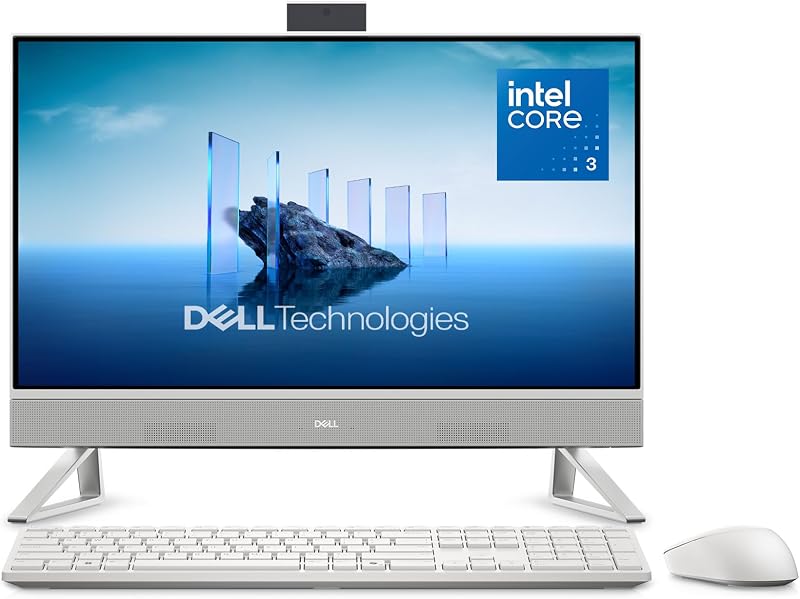
Best for: Budget home offices and student work
Pros
- 5MP HDR tilt camera
- Dell ComfortView Plus
- 1 Year Onsite Service
Cons
- Non-touch display
- Entry-level Core 3 chip
Designed to deliver essential computing without unnecessary desk clutter, the Dell 23.8″ All-in-One Desktop brings high everyday utility to entry-level workflows. Powered by an Intel Core 3 100U processor, this machine provides reliable dual-core efficiency geared toward document editing, web research, high-definition streaming, and day-to-day administrative paperwork. The 23.8-inch Full HD display utilizes an IPS non-touch panel with ultra-narrow borders and a 99% sRGB spectrum, generating 50% higher contrast than earlier generational baselines. While remote workers who frequently navigate on the go might consider a portable dell 15.6 2k touchscreen laptop, this desktop iteration provides an upright, comfortable permanent viewing station that stays stationed neatly in a bedroom corner, home den, or reception lobby.
Ergonomics and sensory comfort are obvious priorities in this clean white model. Dell integrates ComfortView Plus hardware, an engineered solution that continuously mitigates harmful blue light output without distorting on-screen color accuracy, keeping fatigue down during prolonged study or spreadsheet work. Video communication is powered by a high-resolution 5MP infrared camera supported by HDR technology, allowing you to maintain balanced exposure across uneven office lighting while adjusting screen tilt between 0 and 20 degrees. Dual integrated Bluetooth speakers enhanced by Dolby Atmos spatial sound output wide, room-filling sound, whether you are listening to client conference calls or enjoying an evening media stream.
For connectivity, this desktop includes a full-sized SD memory card reader, an HDMI output port, an Ethernet jack, and multiple USB 3.2 Gen 1 and Gen 2 ports, making external component integration simple. Running Windows 11 Home, the system is backed by one year of Dell Onsite Service, which dispatches a technician to your workspace if warranty issues cannot be resolved remotely, alongside six months of Dell Migrate software for painless data transfer from an older PC. For users who prefer mouse and keyboard navigation over touchscreen interaction and do not run compile-heavy software, this non-touch desktop provides tremendous practical balance.
- Intel Core 3 100U processor optimized for low-power daily tasks
- 23.8-inch non-touch IPS FHD screen with Dell ComfortView Plus low-blue-light tech
- 5MP IR webcam with HDR image balancing and 0-to-20 degree tilt adjustment
- Dolby Atmos audio architecture and 1 Year Onsite Service protection
03 Dell All-in-One 24″ FHD

Best for: Business multitasking and secure hybrid work
Pros
- 10-core Core 7 processor
- Windows 11 Pro
- Push-down privacy webcam
- Dolby Atmos stereo sound
Cons
- 512 GB SSD storage
- Wi-Fi 6E instead of 7
Targeted squarely at corporate operators and hybrid remote workers, the Dell All-in-One 24″ FHD delivers serious multi-threaded horsepower inside an understated footprint. Built around a powerful 10-core Intel Core 7 processor 150U capable of boosting up to 5.4 GHz across 12 threads, this machine eats through demanding financial models, complex databases, and extensive browser sessions without breaking stride. Its 23.8-inch Full HD display features Dell’s AIT Infinity touch layer inside narrow borders, combining responsive finger navigation with an anti-glare treatment that cuts down specular reflections from bright overhead office lighting.
This dell all in one core 7 150u system arrives ready for rigorous business deployments thanks to Windows 11 Pro, providing enterprise-grade security protocols, device management policies, and BitLocker hard drive encryption. The system’s responsiveness is bolstered by 16 GB of DDR5 system RAM clocked at 5200 MT/s and a snappy 512 GB M.2 PCIe NVMe solid-state drive. Unlike standard audio implementations, the internal sound system utilizes a dedicated Realtek ALC3289 controller driving twin 5W stereo speakers with Dolby Atmos tuning, generating sufficient clarity and volume to eliminate the clutter of supplementary computer speakers.
Collaboration features on this dell all in one desktop 16gb ram platform are especially thoughtful for remote privacy. The integrated 1080p full HD infrared webcam captures clear 30 frames-per-second video for Zoom or Microsoft Teams, and when the meeting ends, you can physically push the camera module down into the display housing to guarantee total lens privacy. Intel Wi-Fi 6E AX211 and Bluetooth 5.3 supply dependable, interference-free wireless connectivity over modern 6 GHz router bands. Paired with Dell’s KM5221W Pro white wireless keyboard and mouse, this all-in-one delivers enterprise-grade computing in an elegant format.
- Intel Core 7 150U processor with 10 cores, 12 threads, and up to 5.4 GHz turbo
- 23.8-inch Anti-Glare Narrow Border AIT Infinity Full HD touchscreen
- Retractable push-down privacy camera with 1080p RGB and IR facial sensors
- Windows 11 Pro installation paired with 16 GB high-speed DDR5 memory
04 Dell 23.8″ All-in-One Desktop
Striking an ideal equilibrium between modest base hardware and high-end workstation costs, the Dell 23.8″ All-in-One Desktop is engineered around an Intel Core 5 120U processor. This multi-threaded middle-tier engine balances rapid multitasking with modest thermal output, making it an exceptional fit for busy kitchen counters, home learning stations, and active home offices. Unlike its Core 3 sibling, this configuration incorporates full touchscreen functionality directly onto its 23.8-inch Full HD IPS panel, giving users the choice between natural tactile navigation and traditional keyboard-mouse input.
The screen itself delivers rich color depth with 99% sRGB saturation and 50% heightened contrast ratios over past generation standards, rendering media editing, streaming, and creative projects with precision. Hardware-level Dell ComfortView Plus continuously operates in the background to curb high-energy blue light emissions, preventing eye strain without altering natural color accuracy. While movie buffs might supplement their living room with a dedicated vizio 2.1 sound bar, this desktop’s onboard dual speakers with Dolby Atmos spatial sound output plenty of punch for personal audio, podcasts, and video conferencing in a small-to-medium office space.
Equipped with a tilting 5MP infrared camera featuring automatic HDR balancing, the machine keeps your video stream clear and sharp even when seated in front of a sunlit window. The chassis is finished in clean white, weighing a manageable 11.4 pounds with an ultra-thin 1.58-inch side profile that conserves precious desktop space. While the listing does not specify the precise RAM capacity, the system operates on the streamlined Windows 11 Home platform and incorporates a 90-watt power supply, integrated SD media reader, and Dell’s 1 Year Onsite Service warranty. It is an approachable, modern home touch computer designed for straightforward family and office workflows.
- Intel Core 5 120U processor delivering balanced multi-core multitasking
- Interactive 23.8-inch FHD IPS touchscreen display with 99% sRGB color
- Integrated 5MP+IR camera with HDR support and variable tilt adjustment
- Comprehensive peace of mind with 1 Year Onsite Service warranty support
05 Dell 24 All-in-One
Best for: Executive desks and VESA mounted spaces
Pros
- 8MP IR camera
- Modern Light Ash chassis
- VESA mount compatible
- Dedicated Copilot+ NPU
Cons
- Heavier 16.4-pound weight
- No optical disc drive
Best for: Home offices seeking 10-core responsiveness
Pros
- Intel Core 7 150U
- 16 GB DDR5 RAM
- Bluetooth 5.4 connectivity
Cons
- Windows 11 Home
- No bundled stylus pen
If you require raw processing agility and dedicated memory bandwidth for multitasking across heavy office applications, the Dell 24 All-in-One stands as a compelling choice. This dell home office all in one pc pairs the 10-core Intel Core 7 150U processor with 16 GB of DDR5 SO-DIMM RAM, giving professionals plenty of memory overhead to jump between spreadsheet work, photo touch-ups, large PDF sets, and dozens of browser tabs without experiencing UI stutter or tab refreshing. System responsiveness is further anchored by a rapid 512 GB M.2 PCIe NVMe solid-state drive that ensures near-instant boot cycles and quick project saves.
Its display features a 23.8-inch Full HD IPS touch panel running at a fluid 60Hz refresh rate. The wide viewing angles and touch sensitivity make it remarkably easy to collaborate during client presentations, sign documents electronically, or pinch-to-zoom across detailed financial reports. For connectivity, the system is exceptionally modern: it includes an RJ-45 Gigabit Ethernet port, an SD card reader, a versatile USB 3.2 Type-C port, full-size HDMI output, and a combo audio jack. Wireless duties are smoothly managed by an Intel Wi-Fi 6E AX211 card accompanied by updated Bluetooth 5.4 wireless technology.
Supplied with Windows 11 Home 64-bit, this build features an unobtrusive white desktop frame complemented by an included wireless keyboard and wireless mouse in contrasting grey. While it offers the same 10-core Core 7 processor as Dell’s commercial models, its Home edition OS and distinct accessory bundle make it particularly suited for freelance designers, remote workers, and households wanting a high-powered home command center. It gives way to the Pro-tier configurations only when advanced enterprise domain enrollment and BitLocker device management are mandatory requirements.
- Intel Core 7 150U processor (10 cores, 12 threads, up to 5.4 GHz turbo)
- 23.8-inch Full HD IPS 60Hz touchscreen with broad viewing angles
- 16 GB high-speed DDR5 memory paired with a 512 GB PCIe NVMe SSD
- Up-to-date Bluetooth 5.4 and high-bandwidth Intel Wi-Fi 6E connectivity
06 Dell 24 All-in-One Desktop Computer Touchscreen
The Dell 24 All-in-One Desktop Computer Touchscreen presents an upscale aesthetic and cutting-edge performance profile that distinguishes it from traditional white plastic models. Finished in an elegant Light Ash hue, this computer features a minimalist profile designed to complement design-conscious office spaces. Powered by the Series 3 Intel Ultra 7 355 processor running an 8-core layout at up to 4.7 GHz Turbo with 25W base dissipation, it integrates a dedicated Copilot+ neural processing unit to handle on-device AI algorithms with speed and thermal efficiency. Backed by 16 GB of blazing DDR5 RAM at 5600 MT/s and a generous 1 TB PCIe NVMe SSD, this desktop easily earns its reputation as a contender for the best dell 24 all in one workstation.
Its 23.8-inch Full HD wide-viewing-angle anti-glare screen outputs 300 nits of brightness with complete 99% sRGB color range accuracy. In addition to multi-touch support, the display features native pen input capability, allowing digital artists, architects, and managers to mark up blueprints or sign agreements directly on screen. In terms of video conferencing hardware, this model steps well beyond standard webcams by deploying an advanced up to 8MP infrared camera equipped with intelligent user detection technology, which locks your screen when you step away and enables instant Windows Hello facial sign-ins when you return.
Flexibility extends to workspace mounting options: while the unit weighs 16.4 pounds on its sleek matching desk stand, it also includes VESA mount compatibility, enabling you to mount the PC onto a floating articulated monitor arm for a completely suspended, zero-footprint desktop layout. Connectivity is future-proofed with Wi-Fi 7, Bluetooth 6.0, an array of rear USB 2.0 ports with SmartPower wake support, high-speed USB 3.2 Gen 2 ports, and Gigabit Ethernet. Operating on Windows 11 Pro, this premium Light Ash package is the ideal solution for executive suites, medical desks, and design offices that demand high computing power and clean aesthetics.
- Intel Ultra 7 355 8-core processor with integrated NPU Copilot+ hardware
- Anti-glare 23.8-inch WVA touchscreen with 300-nit luminance and pen support
- Advanced up to 8MP IR webcam featuring automatic user detection security
- VESA mount compatibility combined with an executive Light Ash chassis
What Sets These Models Apart
Understanding which dell all in one to buy requires looking closely at how processors, memory capacities, touch inputs, and networking standards differ between configurations. While every model in this lineup shares the space-conscious 23.8-inch form factor, the user experience varies depending on whether your day involves simple web browsing, business video conferencing, or local AI-assisted workflows.
| Product Name | Processor | RAM & Storage | Display & Input | OS & Wireless |
|---|---|---|---|---|
| Dell 24-Inch All-in-One Desktop Computer | Intel Core Ultra 7 355 (NPU) | 16 GB DDR5 / 1 TB SSD | 23.8″ FHD WVA Touch (Pen Support) | Windows 11 Pro / Wi-Fi 7 |
| Dell 23.8″ All-in-One Desktop | Intel Core 3 100U | The listing does not specify / SSD | 23.8″ FHD IPS Non-Touch | Windows 11 Home / Wi-Fi |
| Dell All-in-One 24″ FHD | Intel Core 7 150U (10 Cores) | 16 GB DDR5 / 512 GB SSD | 23.8″ FHD Infinity Touch | Windows 11 Pro / Wi-Fi 6E |
| Dell 23.8″ All-in-One Desktop | Intel Core 5 120U | The listing does not specify / SSD | 23.8″ FHD IPS Touchscreen | Windows 11 Home / Wi-Fi |
| Dell 24 All-in-One | Intel Core 7 150U (10 Cores) | 16 GB DDR5 / 512 GB SSD | 23.8″ FHD IPS Touchscreen | Windows 11 Home / Wi-Fi 6E |
| Dell 24 All-in-One Desktop Computer Touchscreen | Intel Ultra 7 355 (NPU) | 16 GB DDR5 / 1 TB SSD | 23.8″ FHD WVA Touch (Pen Support) | Windows 11 Pro / Wi-Fi 7 |
Buying Tips for Dell All-in-One PCs
Before purchasing a dell 23.8 all in one desktop, evaluate how interactive your daily routine is with your computer screen. If your work relies heavily on creative sketches, digital signatures, or frequent scrolling through documents, investing in a dell 24 inch touchscreen all in one provides genuine operational efficiency. However, if your desktop serves primarily for typing documents, administrative data entry, or family accounting, a non-touch matte display like the Core 3 model keeps the panel free of fingerprints while lowering component power demands.
Another major consideration is your working operating system and networking environment. Workstations running Windows 11 Pro include BitLocker security and domain provisioning, which are essential for HIPAA compliance or corporate network access. On the other hand, Windows 11 Home is fully adequate for residential browsing, streaming, and student assignments. Shoppers considering whether to shift environments entirely or browsing alternatives like mac computers desktops on sale will find that Dell’s Windows ecosystem provides seamless backward software compatibility, modular port choices like full-size SD slots and HDMI outs, and onsite repair warranties that simplify long-term ownership.
Finally, examine the webcam and collaboration features integrated into the top bezel. Dell equips several of these models with motorized or push-down privacy cameras, which provide complete peace of mind when working from home. Higher-end models featuring up to 8MP sensors with infrared user detection offer hands-free biometric sign-in, locking the computer instantly whenever you walk away to protect confidential client data.
FAQ
Can I use a stylus or active pen on a Dell 24-inch all-in-one desktop?
Pen support depends on the specific display digitizer integrated into the model. The Intel Core Ultra 7 configurations in this guide explicitly feature active touch pen support on their 23.8-inch WVA anti-glare panels, making them suitable for digital handwriting and light drawing. Conversely, standard touchscreen models without pen support are designed primarily for multi-finger touch gestures.
What is the benefit of an Intel Core Ultra 7 processor over a Core 7 150U?
While the Core 7 150U features a robust 10-core architecture that excels at traditional CPU multi-threading, the Intel Core Ultra 7 355 includes a dedicated neural processing unit. This integrated NPU handles artificial intelligence calculations, such as Microsoft Copilot+ features and background camera effects, locally on the chip, reducing overall system latency and freeing up CPU cores for active multitasking.
Can I mount a Dell all-in-one desktop on a monitor arm?
Mounting capability varies across the lineup based on chassis construction. The Dell 24 All-in-One Desktop Computer Touchscreen in Light Ash explicitly lists VESA mount compatibility, allowing you to detach the factory pedestal and attach an articulated arm. Most other models feature integrated desktop pedestal stands with tilt adjustment between 0 and 20 degrees intended for surface placement.
Are the speakers on Dell 24-inch all-in-one PCs sufficient for daily meetings?
Yes, Dell equips these systems with twin stereo speakers, often tuned with Dolby Atmos spatial audio technology or driven by Realtek audio controllers producing up to 10 watts of stereo output. These internal sound modules provide crisp voice clarity for Zoom calls, webinars, and background music playback, eliminating the clutter of external desktop speakers.
How do the pop-up webcams protect user privacy?
Dell addresses video security through mechanical concealment. On models like the Dell All-in-One 24″ FHD, the webcam module physically pushes down into the display frame when not in use, physically blocking the camera lens. Other editions employ automatic pop-up mechanisms or infrared user detection sensors that lock down access when you step away from the desk.