As Amazon Associates, we earn from qualifying purchases. This means we may receive a small commission at no extra cost to you if you click through and make a purchase.
Setting up an efficient desk requires balancing visual clarity, ergonomic adjustment, and physical workspace constraints. When shopping for lg 4k monitors, understanding how resolution interacts with screen size is crucial for everyday productivity. A 4K UHD resolution of 3840 x 2160 delivers outstanding pixel density, rendering text razor-sharp across spreadsheets, lines of code, and creative editing timelines. For home office setups, choosing between a compact 27-inch display or an expansive 31.5-inch panel directly influences viewing distance, desk depth requirements, and scaling settings within your operating system. LG offers displays tailored to distinct workstation configurations, ranging from color-accurate IPS creative panels to high-contrast VA multimedia screens and cutting-edge OLED panels designed for high-refresh workflows.
This guide examines six distinct models across the LG lineup to provide an in-depth lg 4k monitor comparison. We evaluate how these displays differ in panel technology, ergonomic range, and connectivity solutions like single-cable USB-C power delivery. You will discover straightforward entry-level options alongside feature-packed productivity displays with integrated speakers, multitasking software, and specialized gaming engines. By comparing each monitor’s strengths and hardware trade-offs, you can determine exactly which lg 4k monitor to buy to enhance your daily work and entertainment setup.
Which LG 4K Monitors Should You Buy
- LG 27US500-W Ultrafine Monitor 27-Inch 4K: Best for budget-conscious creative professionals needing crisp pixel density and IPS color fidelity on smaller desks.
- LG 27UP850K-W 27-inch Ultrafine 4K UHD: Best for laptop users seeking a streamlined single-cable workstation with 90W USB-C charging and full ergonomic adjustments.
- LG 32UR500K-B Ultrafine 32-inch 4K UHD: Best for everyday home office tasks and media consumption requiring an expansive 31.5-inch canvas and built-in speakers.
- LG 32UP83AK-W 32-inch Ultrafine 4K UHD: Best for productivity professionals wanting a large IPS display with 60W USB-C connectivity and full stand adjustability.
- LG 32UR550K-B 32-inch Ultrafine 4K UHD: Best for document processing and high-contrast media viewing in variable lighting where deep contrast and height adjustment matter.
- LG 32GX850A-B 32″ UltraGear 4K UHD: Best for competitive gamers and enthusiast workstations demanding infinite OLED contrast, 165Hz speed, and ultra-low response times.
Measure shown: Weight (lb). Every figure is the number the seller publishes on that product page — nothing on this site is measured by us. Longest bar is highlighted.
01 LG 27US500-W Ultrafine Monitor 27-Inch 4K

Best for: Budget-conscious creative desk setups
Pros
- IPS panel color consistency
- Crisp 163 PPI pixel density
- Matte borderless design
Cons
- Tilt-only stand adjustment
- No USB-C connectivity
The LG 27US500-W Ultrafine Monitor 27-Inch 4K provides a focused entry point into ultra-high-definition computing. Built around a 27-inch IPS panel with a 3840 x 2160 resolution, this monitor yields an impressive pixel density of roughly 163 pixels per inch. Text renders with crisp definition, making prolonged reading and document editing comfortable on the eyes. The display covers up to 90% of the DCI-P3 color spectrum and features HDR10 support, giving creative professionals consistent color fidelity for photo retouching and graphic design. With a typical brightness of 300 cd/m² and a 1000:1 contrast ratio, the matte screen surface handles ambient room reflections effectively without muddying fine details.
From an ergonomic and connectivity standpoint, the lg 27us500-w focuses on essential desktop utility. The included stand offers tilt adjustment to align the display with your natural line of sight, though it lacks height or pivot articulation. Video connectivity is handled through HDMI and DisplayPort inputs, making it simple to connect desktop towers and docking hubs. Users looking to streamline dual-screen workflows can explore our wider selection of the best lg 27 4k monitors to evaluate how different stand options and port configurations fit specific desk layouts.
To maximize productivity, LG integrates its OnScreen Control software and the Switch App, enabling quick window splitting and layout organization with simple mouse clicks. Reader Mode and Flicker Safe technologies reduce visual fatigue during extended workdays. While the 27US500-W excels in visual sharpness, it gives way to the 27UP850K-W for users who require single-cable USB-C power delivery or integrated desktop audio.
- 27-inch 4K UHD (3840 x 2160) IPS panel delivering 1000:1 contrast and 300 cd/m² brightness
- Color gamut coverage reaching up to 90% DCI-P3 with HDR10 signal compatibility
- Matte screen finish with wide 170-degree viewing angles and borderless bezel design
- OnScreen Control software and Switch App for simplified workspace multitasking
02 LG 27UP850K-W 27-inch Ultrafine 4K UHD

Best for: Single-cable laptop workstations
Pros
- 90W USB-C power delivery
- VESA DisplayHDR 400 certified
- Height tilt and pivot stand
- Built-in Waves MaxxAudio speakers
Cons
- 60Hz refresh rate ceiling
The LG 27UP850K-W 27-inch Ultrafine 4K UHD stands out as one of the most versatile displays for modern remote and corporate work environments. Serving as a premier candidate for the best lg 4k monitor for home office setups, it features a 27-inch IPS panel boasting VESA DisplayHDR 400 certification. With a peak brightness of 400 cd/m² and an elevated 1200:1 contrast ratio, it delivers vibrant highlights and deep tones across both productivity software and multimedia playback. Creative specialists will appreciate the expanded color range, which reaches up to 95% DCI-P3 expression for dependable color grading and digital asset creation.
The core strength of the lg 27up850k-w lies in its integrated workstation connectivity. Its USB Type-C port handles 4K video, rapid data transfer, and up to 90W of power delivery simultaneously over a single cable. This allows modern laptop users to dock their machine, charge at full speed, and access two downstream USB 3.0 ports without keeping a separate charging brick on the desk. The included ergonomic stand provides comprehensive adjustment, including height elevation, forward and backward tilt, and a 90-degree pivot mechanism for full portrait orientation, ideal for programmers and data analysts.
In addition to strong connectivity, this monitor includes built-in stereo speakers enhanced with Waves MaxxAudio, providing clear audio for video conference calls and streaming without requiring dedicated external desktop speakers. Gaming features like Dynamic Action Sync and Black Stabilizer further ensure responsive input and clear visibility during after-hours gaming. When compared to larger screens, the 27UP850K-W offers superior pixel density in a compact footprint, though users needing expansive physical screen real estate may prefer stepping up to LG’s 32-inch options.
- USB Type-C port supplying 90W power delivery, 4K video signal, and data transfer
- VESA DisplayHDR 400 certified IPS panel with 400 cd/m² brightness and 1200:1 contrast
- Ergonomic stand supporting height adjustment, tilt, and 90-degree portrait pivot
- Integrated stereo speakers equipped with Waves MaxxAudio and dual-port USB 3.0 hub
03 LG 32UR500K-B Ultrafine 32-inch 4K UHD

Best for: Everyday multitasking and casual entertainment
Pros
- Expansive 31.5-inch screen
- Built-in stereo speakers
- Dual HDMI port connectivity
Cons
- Tilt-only stand adjustment
- Modest 250 cd/m² brightness
The LG 32UR500K-B Ultrafine 32-inch 4K UHD delivers an expansive visual workspace for users who prioritize large physical screen area over sheer pixel density. Featuring a 31.5-inch VA display with a 3840 x 2160 resolution, this monitor allows professionals to run multiple applications side by side comfortably without requiring extreme operating system interface scaling. The display covers up to 90% of the DCI-P3 color gamut and supports HDR10 content, providing rich colors and dependable image clarity across spreadsheets, web browsers, and streaming video platforms.
Equipped with a matte screen finish and a 1000:1 contrast ratio, the lg 32ur500k-b maintains readable visuals under standard office lighting with a brightness rating of 250 cd/m². For workstation connectivity, it offers two HDMI ports and a DisplayPort connection. Laptop users looking to connect to multiple monitors and peripheral devices might consider adding a plugable usb-c dual 4k hdmi docking station to handle multi-display cable routing efficiently, as this display does not feature native USB-C video input.
Desktop convenience is further enhanced by built-in stereo speakers tuned with Waves MaxxAudio, delivering robust sound for meetings, podcasts, and casual video viewing. Gamers can take advantage of Dynamic Action Sync to minimize input lag and Black Stabilizer to reveal hidden details in darker game scenes. The included stand provides tilt adjustment, though users seeking vertical height adjustment or portrait rotation will find the step-up 32UR550K-B a more adaptable ergonomic solution.
- Expansive 31.5-inch VA panel with 4K UHD (3840 x 2160) resolution and borderless bezels
- Built-in stereo sound powered by Waves MaxxAudio processing
- Dual HDMI inputs and DisplayPort connection supporting HDR10 playback
- Gaming support tools including Dynamic Action Sync and Black Stabilizer
04 LG 32UP83AK-W 32-inch Ultrafine 4K UHD
Best for: Productivity professionals needing screen space
Pros
- 60W USB-C single cable
- Wide 95% DCI-P3 color gamut
- Full height and pivot stand
- 350 cd/m² IPS brightness
Cons
- Lower charging wattage than 27UP850K-W
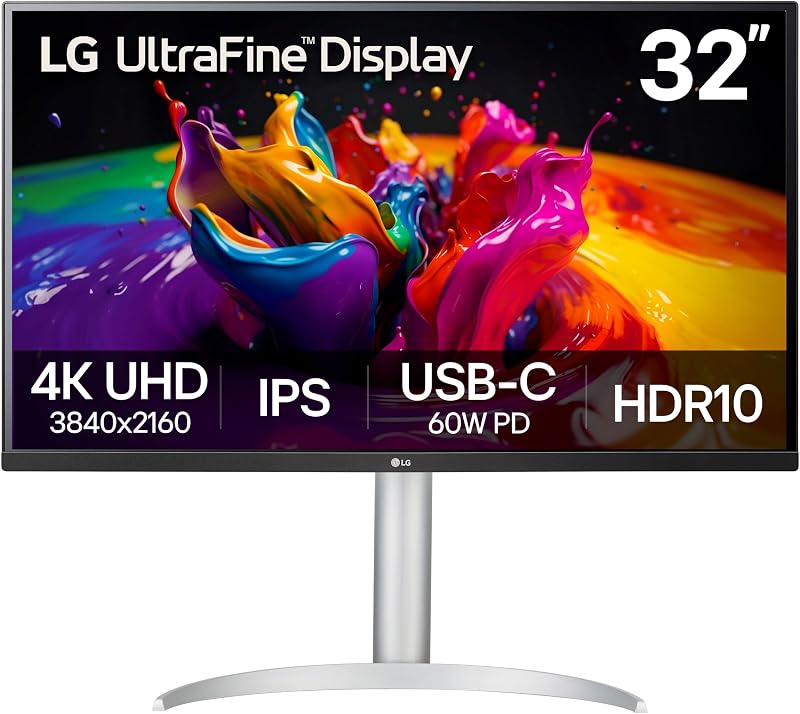
The LG 32UP83AK-W 32-inch Ultrafine 4K UHD combines the expansive dimensions of a 31.5-inch screen with the wide viewing angles and color consistency of an IPS panel. As a distinguished member of the family of lg ultrafine 4k monitors, it delivers 350 cd/m² of brightness and covers up to 95% of the DCI-P3 color spectrum. The IPS technology ensures consistent luminance and accurate color reproduction across broad 178-degree viewing angles, eliminating the color shifting that can occur when viewing large displays off-center.
Designed to serve as a streamlined productivity hub, the lg 32up83ak-w features a single-cable USB Type-C port capable of transmitting 4K video, transferring high-speed data, and delivering up to 60W of power to connected laptops. This single-cable convenience significantly declutters your desktop environment. The monitor is mounted on a fully ergonomic stand that allows users to adjust height, tilt the screen angle, and pivot the display into a vertical orientation, accommodating varied workflows from writing code to reviewing extensive financial reports.
For daily comfort, the monitor incorporates Reader Mode to reduce blue light output and Flicker Safe technology to prevent screen flicker at all brightness levels. Integrated stereo speakers eliminate the need for extra desk accessories, while Dynamic Action Sync and Black Stabilizer provide a competent foundation for console and PC gaming. While its 60W power delivery is slightly lower than the 90W output found on the 27UP850K-W, its larger 31.5-inch IPS display provides an expansive workspace that enhances complex multitasking routines.
- 31.5-inch IPS display with 3840 x 2160 resolution, 350 cd/m² brightness, and 95% DCI-P3
- USB Type-C connectivity providing 60W power delivery, video output, and data transmission
- Fully adjustable stand with height, tilt, and 90-degree portrait pivot adjustments
- Built-in stereo speakers, Reader Mode, and Flicker Safe visual comfort technologies
05 LG 32UR550K-B 32-inch Ultrafine 4K UHD
Best for: High-contrast document and media viewing
Pros
- Deep 3000:1 static contrast
- Height tilt and pivot stand
- Switch App multi-window tools
Cons
- No USB-C port
- 250 cd/m² brightness
The LG 32UR550K-B 32-inch Ultrafine 4K UHD is engineered for users who require deep contrast and flexible ergonomics on a large desktop canvas. Built around a 31.5-inch VA panel, it achieves an impressive 3000:1 static contrast ratio, which is three times higher than typical IPS displays. This high contrast delivers deep, inky blacks and pronounced shadow detail, making it an excellent choice for viewing high-dynamic-range content, watching movies, and working in dimly lit home offices where standard IPS glow might prove distracting.
Color performance is dependable, supporting up to 90% coverage of the DCI-P3 color space with HDR10 compliance. The lg 32ur550k-b features a versatile stand that allows users to smoothly adjust the height, adjust the tilt, and pivot the display into portrait mode. This physical flexibility is especially beneficial for users who regularly alternate between horizontal multitasking and vertical document review. For video input, the monitor includes HDMI and DisplayPort connections, though the listing does not specify USB Type-C connectivity.
Multitasking is further enhanced through LG’s Switch App, which allows users to partition the 31.5-inch screen into up to six sections, arrange custom window layouts, or trigger video conferences with dedicated hotkeys. Waves MaxxAudio powers the built-in stereo speakers, while Dynamic Action Sync and Black Stabilizer provide low-latency responsiveness for gaming sessions. The 32UR550K-B gives way to the 32UP83AK-W when single-cable USB-C laptop charging and ultra-wide IPS viewing angles are primary workstation requirements.
- 31.5-inch VA panel delivering a deep 3000:1 contrast ratio in 4K UHD clarity
- Comprehensive stand adjustability including height adjustment, tilt, and portrait pivot
- Switch App integration allowing screen splitting into up to 6 custom productivity zones
- Integrated stereo speakers with Waves MaxxAudio processing and dual HDMI inputs
06 LG 32GX850A-B 32″ UltraGear 4K UHD
Best for: Competitive gaming and enthusiast desks
Pros
- Dual-Mode 165Hz and 330Hz
- Near-instant 0.03ms response
- 5M:1 contrast ratio
- VESA DisplayHDR True Black 400
Cons
- Glossy finish reflects direct light
- No USB-C laptop charging
The LG 32GX850A-B 32″ UltraGear 4K UHD represents the pinnacle of LG’s display engineering, bridging high-end gaming performance with professional visual fidelity. Utilizing a 32-inch glossy OLED panel equipped with Micro Lens Array+ (MLA+) technology, it delivers a typical brightness of 275 cd/m² and an extraordinary 1,500,000:1 contrast ratio. Because OLED pixels emit their own light and can turn off completely, this monitor achieves true black levels, certified by VESA DisplayHDR True Black 400. Color reproduction is outstanding, covering up to 98.5% of the DCI-P3 color spectrum for lifelike visuals in high-end video production and gaming.
A standout technical innovation of the lg 32gx850a-b is its Dual-Mode refresh capability. With the press of a hotkey, users can switch between immersive 4K UHD gaming at 165Hz and ultra-fast Full HD gaming at 330Hz. Paired with a near-instantaneous 0.03ms gray-to-gray response time, motion blur and ghosting are virtually eliminated. Official validation for NVIDIA G-SYNC and AMD FreeSync Premium Pro ensures smooth, tear-free rendering during rapid on-screen motion, giving competitive players an undeniable tactical edge.
Ergonomics and eye comfort are addressed through a robust stand offering tilt, height, swivel, and pivot adjustments. The display holds three UL certifications for Anti-Glare, Flicker-Free, and Low Blue Light operation, helping maintain visual comfort during marathon work or gaming sessions. Video inputs include HDMI and DisplayPort. Unlike LG’s UltraFine productivity monitors, this UltraGear display does not include USB-C laptop charging, making it a specialized display built specifically for high-performance desktop towers and elite entertainment setups.
- 32-inch Glossy OLED panel with Micro Lens Array+ technology and 1,500,000:1 contrast ratio
- Innovative Dual-Mode operation supporting 4K UHD at 165Hz or 1080p Full HD at 330Hz
- Ultra-low 0.03ms GtG response time with NVIDIA G-SYNC and AMD FreeSync Premium Pro validation
- VESA DisplayHDR True Black 400 certification and 98.5% DCI-P3 color gamut coverage
What Sets These Models Apart
Selecting the right display from LG’s 4K portfolio requires evaluating how panel type, refresh rate, contrast performance, and connectivity align with your daily computing routine. Creative editors and corporate professionals often prioritize IPS color consistency and USB-C single-cable docking, whereas media enthusiasts and competitive gamers benefit significantly from VA contrast depth or OLED speed.
| Model | Screen Size & Panel | Refresh Rate & Response | Contrast & Brightness | Connectivity & Ergonomics |
|---|---|---|---|---|
| LG 27US500-W | 27-inch IPS (Matte) | 60Hz / 5ms | 1000:1 / 300 cd/m² | HDMI, DisplayPort; Tilt Stand |
| LG 27UP850K-W | 27-inch IPS (Matte) | 60Hz / 5ms | 1200:1 / 400 cd/m² | USB-C (90W PD), HDMI, DP; Height/Tilt/Pivot |
| LG 32UR500K-B | 31.5-inch VA (Matte) | 60Hz / the listing does not specify | 1000:1 / 250 cd/m² | HDMI x2, DisplayPort; Tilt Stand |
| LG 32UP83AK-W | 31.5-inch IPS (Matte) | 60Hz / 5ms | 1000:1 / 350 cd/m² | USB-C (60W PD), HDMI, DP; Height/Tilt/Pivot |
| LG 32UR550K-B | 31.5-inch VA (Matte) | 60Hz / the listing does not specify | 3000:1 / 250 cd/m² | HDMI, DisplayPort; Height/Tilt/Pivot |
| LG 32GX850A-B | 32-inch OLED (Glossy) | 165Hz (330Hz FHD) / 0.03ms | 1,500,000:1 / 275 cd/m² | HDMI, DisplayPort; Height/Tilt/Swivel/Pivot |
Buying Tips for LG 4K Monitors
When choosing between 27-inch and 32-inch lg 4k monitors, the physical depth of your desk is an essential factor. A 27-inch 4K screen provides an exceptionally sharp image with 163 pixels per inch, making it ideal for standard 24-inch deep desks where you sit relatively close to the display. Text is remarkably crisp, although you will likely use 150% display scaling in Windows or macOS to keep interface elements comfortable. A 31.5-inch display features a slightly lower pixel density of roughly 140 pixels per inch, but it provides a substantially larger physical canvas. This extra screen size works best on desks that are 30 inches deep or greater, allowing you to comfortably use 100% or 125% scaling to display more application windows simultaneously.
Panel technology also dictates your daily visual experience. LG’s IPS panels, such as those found on the 27US500-W, 27UP850K-W, and 32UP83AK-W, deliver superior viewing angles and color consistency across the entire screen, making them the preferred choice for photo editing, color-critical design, and collaborative viewing. Conversely, VA panels like the 32UR550K-B excel in static contrast, reaching 3000:1 ratios that produce deeper blacks when working in dim environments. For users who demand uncompromising contrast and fluid motion for gaming and HDR entertainment, the glossy OLED panel on the 32GX850A-B provides per-pixel dimming and instantaneous response times that traditional LCD panels cannot replicate.
Finally, consider how the monitor integrates into your cable management and posture routine. Monitors featuring USB-C Power Delivery, such as the 27UP850K-W (90W) and 32UP83AK-W (60W), dramatically reduce desktop clutter by combining video, data, and laptop charging into a single cable. Ergonomics are equally vital for preventing neck strain during long working hours. Models equipped with full height, tilt, and pivot articulation allow you to align the screen directly at eye level or rotate into a vertical orientation for document review and coding, eliminating the immediate need to purchase an aftermarket monitor arm.
FAQ
Is a 27-inch or 32-inch LG 4K monitor better for a home office desk?
The choice between 27-inch and 32-inch displays depends on your desk depth and scaling preferences. A 27-inch 4K monitor offers a higher pixel density of roughly 163 PPI, resulting in razor-sharp text that looks pristine at close viewing distances on shallow desks. However, it requires interface scaling to keep text readable. A 31.5-inch 4K monitor offers more physical screen area, allowing you to view multiple documents side by side at lower scaling settings, which works best on deeper desks where you sit further back from the screen.
What is the difference between IPS and VA panels in LG 4K monitors?
IPS panels offer superior color accuracy and wider 178-degree viewing angles without noticeable color or gamma shifting when viewed off-center, making them the industry standard for photo and video editing. VA panels feature liquid crystals that block backlight more effectively, yielding much higher static contrast ratios (such as 3000:1 on the 32UR550K-B compared to 1000:1 on standard IPS screens). This makes VA displays well suited for watching movies, document processing, and working in darker rooms.
How does USB-C Power Delivery simplify a home workstation?
USB-C Power Delivery allows a monitor to transmit high-resolution 4K video, transfer data from connected USB accessories, and supply electrical power to a compatible laptop over one cable. Displays like the LG 27UP850K-W provide up to 90W of power delivery, which is sufficient to charge demanding professional laptops while eliminating the need to unpack and plug in a separate laptop power brick at your desk.
Can LG UltraFine 4K productivity monitors handle casual gaming?
Yes. While LG UltraFine productivity displays feature standard 60Hz refresh rates, they incorporate specialized gaming features like Dynamic Action Sync to reduce input lag and Black Stabilizer to brighten dark shadow details. These tools make them well suited for casual PC gaming and 4K console gaming, although competitive gamers will benefit more from high-refresh models like the 165Hz UltraGear OLED.
What is the Dual-Mode feature on the LG 32GX850A-B UltraGear monitor?
Dual-Mode is a specialized hardware feature on the LG 32GX850A-B that lets users toggle between two distinct display configurations using a hotkey. Gamers can run story-driven, graphically rich games in native 4K UHD resolution at up to 165Hz, or switch to 1080p Full HD resolution at an ultra-fast 330Hz refresh rate for fast-paced competitive esports titles where frame rate and low latency are the primary priorities.