As Amazon Associates, we earn from qualifying purchases. This means we may receive a small commission at no extra cost to you if you click through and make a purchase.
A sceptre 34 inch curved monitor provides a sweeping visual workspace that transforms desktop productivity while enhancing gaming immersion. By transitioning from a dual-display configuration to a singular 21:9 ultrawide canvas, you eliminate annoying center bezels and create a unified command center for daily office tasks. The 1500R curvature closely matches the natural field of human vision, reducing neck rotation and minimizing peripheral eye strain when you manage side-by-side browser windows, wide financial spreadsheets, and multimedia production timelines.
This comprehensive guide examines six distinct curved monitors manufactured by Sceptre, illustrating how each unit balances pixel density, motion clarity, and connectivity. Our lineup includes four 34-inch ultrawide monitors that span both 1440p and 1080p resolutions, as well as two 27-inch curved options designed for tighter workstation footprints. By analyzing technical specifications, physical chassis profiles, and panel behavior, this sceptre curved monitor comparison helps you select the ideal model for your desk ergonomics. If you have previously researched a general specter computer monitor comparison, this breakdown clarifies the unique trade-offs across Sceptre’s curved gaming and productivity portfolio.
Which Sceptre Curved Monitor Should You Buy
- Competitive Ultrawide Gamers: The Sceptre C345B-QU240T delivers peak motion fluidity with a rapid 240Hz refresh rate and sharp 3440 x 1440 WQHD clarity.
- Balanced High-Refresh Multitaskers: The Sceptre E345B-QU180D offers a robust 180Hz refresh rate and expansive ultrawide desktop space for demanding workloads and fast games.
- Everyday Ultrawide Workers: The Sceptre C345B-QUT168 combines crisp 1440p resolution, a fluid 165Hz panel, and colorful ambient backcover lighting.
- Standard Resolution Upgraders: The Sceptre C345W-2560UN introduces expansive 21:9 window-snapping space on a 2560 x 1080 panel that reduces hardware rendering load.
- High-Speed Esports Compact Desks: The Sceptre C275B-FWT240 packs tournament-grade 240Hz speed and 3000:1 contrast into an agile 27-inch 16:9 form factor.
- Casual Home Office Desktops: The Sceptre C275W-FW100T provides comfortable 100Hz pacing and comprehensive eye-care features for space-conscious setups.
01 Sceptre 34-Inch Curved Ultrawide WQHD Monitor
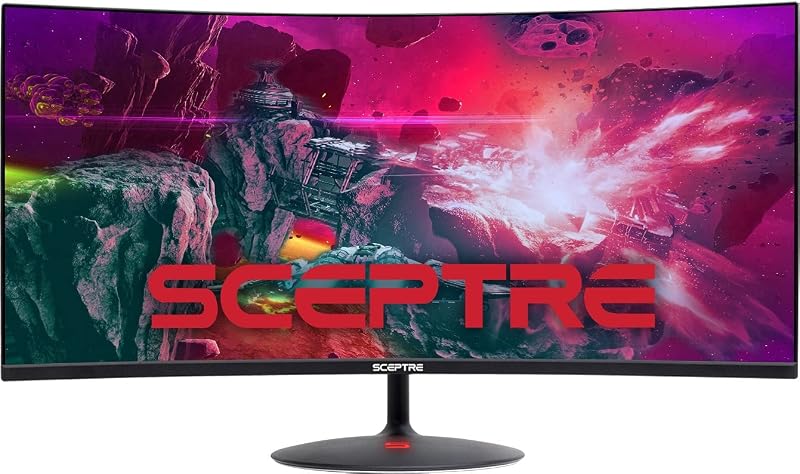
Best for: Everyday office workers using standard computer hardware
Pros
- Hardware-friendly 2560 x 1080 resolution
- Expansive 21:9 edgeless curved design
- Three HDMI inputs plus DisplayPort
- Adaptive Sync motion smoothing
Cons
- Lower pixel density than 1440p
- Refresh rate capped at 100Hz
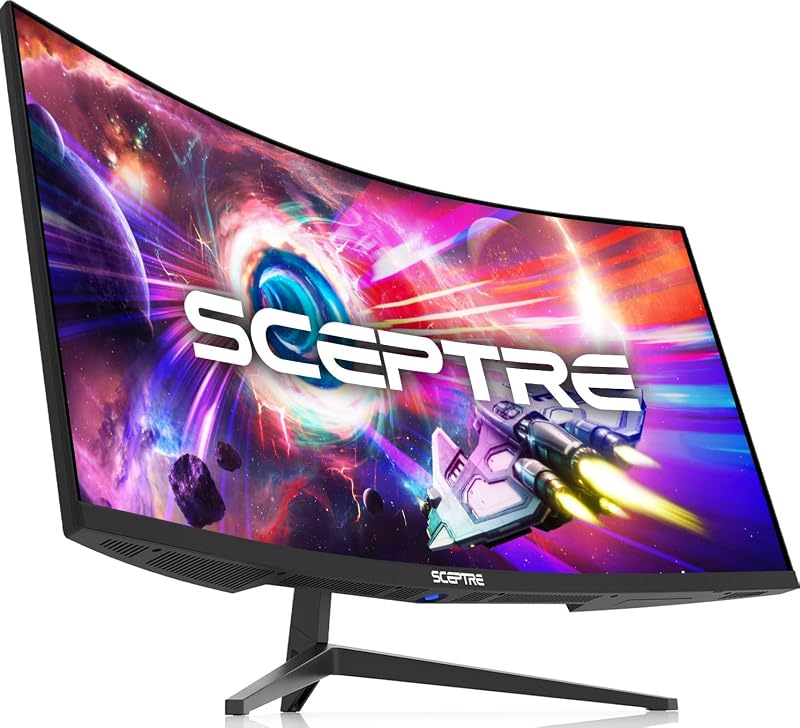
Best for: Balanced multitaskers wanting ambient lighting and 165Hz
Pros
- Sharp 3440 x 1440 WQHD resolution
- Fluid 165Hz refresh rate with FreeSync
- Luminous backcover LED accent lighting
- Dual DisplayPort and dual HDMI connections
Cons
- Modest 280 cd/m2 brightness rating
- Lacks extreme 240Hz refresh ceiling
The Sceptre 34-Inch Curved Ultrawide WQHD Monitor provides a substantial screen upgrade for power users seeking to maximize daily desktop efficiency. Built around a 34-inch VA panel with an expansive 21:9 aspect ratio and 3440 x 1440 Wide Quad HD resolution, this display delivers approximately thirty percent more horizontal viewable area than a traditional widescreen. The 1500R curvature draws peripheral details inward, creating an ergonomic workstation that permits three open documents to sit comfortably side by side without causing neck strain.
Known by model designation sceptre c345b-qut168, this display achieves a refresh rate of up to 165Hz alongside a 1ms Moving Picture Response Time (MPRT). Coupled with AMD FreeSync Premium, it eliminates frame tearing and ghosting during high-speed gaming sequences. Color fidelity is maintained through 99% sRGB gamut coverage, while the 280 cd/m² brightness and a 1,000,000:1 dynamic contrast ratio provide rich visual depth. A distinctive ambient light bar on the rear chassis adds a gentle decorative glow to home offices.
This monitor is best suited for professionals and enthusiasts who divide their time evenly between heavy document multitasking and immersive simulation gaming. However, competitive players who require an extreme 240Hz refresh rate will find higher performance ceilings in Sceptre’s dedicated Prime series.
- Detailed WQHD 3440 x 1440 resolution across an expansive 21:9 ultrawide canvas.
- Smooth 165Hz refresh rate enhanced by AMD FreeSync Premium and 1ms MPRT.
- Integrated desktop audio via built-in speakers and luminous backcover LED accent lights.
- Flexible connectivity suite featuring two DisplayPort connections and two HDMI inputs.
02 New! Sceptre Curved 34-inch Prime Gaming

Best for: Competitive esports gamers demanding maximum ultrawide speed
Pros
- Blazing 240Hz ultrawide refresh rate
- Fast 1ms blur reduction response
- 100% sRGB color gamut reproduction
- Four high-bandwidth video inputs
Cons
- Substantial 14-pound chassis weight
- Requires powerful GPU for top framerates
Engineered for high-end fidelity and esports-level fluidity, the New! Sceptre Curved 34-inch Prime Gaming establishes a benchmark for ultrawide performance. Operating with an ultra-fast 240Hz refresh rate, this model ensures that rapid panning, flight simulators, and competitive first-person shooters render with fluid precision. The 3440 x 1440 QHD Wide resolution pairs with a 1500R curvature on a matte VA panel to provide comprehensive immersion while keeping peripheral interface elements comfortably in sight.
Designated as the sceptre c345b-qu240t series, this display incorporates a rapid 1ms response time with blur reduction to preserve edge sharpness during frantic action. The panel achieves 100% sRGB color gamut coverage, making it competent for color-sensitive multimedia production and video editing. Integrated Blue-Light Shift technology reduces high-energy light emissions to combat eye fatigue during marathon computer sessions, while Adaptive Sync prevents screen tearing. When researching a premium sceptre 240hz monitor, this unit stands out for pairing high velocity with ultrawide resolution.
We recommend this flagship screen for competitive gamers and power users who possess robust graphics hardware capable of driving 1440p visuals at elevated frame rates. Users operating basic office laptops without high-bandwidth video outputs may prefer more modest refresh tiers that match their hardware capabilities.
- Blistering 240Hz refresh rate combined with 1ms blur reduction for elite responsiveness.
- Expansive 34-inch ultrawide form factor with immersive 1500R curvature and 3440 x 1440 resolution.
- Full 100% sRGB color gamut reproduction for vibrant multimedia fidelity.
- Generous port array featuring two DisplayPort and two HDMI connections alongside integrated speakers.
03 Sceptre 34-inch Curved UltraWide 21
For users who desire the physical productivity benefits of an ultrawide form factor without overtaxing their computer graphics hardware, the Sceptre 34-inch Curved UltraWide 21 provides a balanced solution. Operating at an FHD 1080p Ultra Wide plus resolution of 2560 x 1080, this 34-inch screen delivers panoramic horizontal space while demanding significantly less rendering power than 1440p displays. Its 1500R curvature gently wraps the edges toward the user, establishing an ergonomic setup for managing parallel web windows and spreadsheets.
Carrying the model number sceptre c345w-2560un, this display supports refresh rates up to 100Hz, while its physical inputs accelerate up to 85Hz across three HDMI ports and one DisplayPort. Adaptive Sync technology works to eliminate screen stuttering and visual tears by aligning the monitor’s cycle with incoming GPU frames. An edgeless bezel design gives the unit a clean aesthetic on open desks, while specialized FPS and RTS display presets optimize gamma and contrast for distinct game genres.
This model is an exceptional fit for students, administrative professionals, and general home office operators seeking an ultrawide workflow driven by standard desktop hardware. Users who handle micro-typography, CAD schematics, or intricate photo corrections will likely prefer the sharper pixel density found on Sceptre’s 1440p models.
- Panoramic 34-inch 21:9 curved workspace running a hardware-friendly 2560 x 1080 resolution.
- Smooth visual pacing with refresh capabilities reaching up to 100Hz supported by Adaptive Sync.
- Comprehensive input layout comprising three HDMI ports, one DisplayPort, and an audio output jack.
- Built-in Blue Light Shift modes and genre-specific FPS and RTS display calibrations.
04 New! Sceptre 34-inch Prime Gaming Monitor

Best for: Productivity enthusiasts seeking high-refresh 1440p clarity
Pros
- Immersive UWQHD 3440 x 1440 panel
- Smooth 180Hz refresh capability
- Wall mount pattern compatibility
- Built-in eye-care Blue-Light Shift
Cons
- Listing does not specify contrast ratio
- Lacks rear ambient lighting
The New! Sceptre 34-inch Prime Gaming Monitor strikes an ideal balance between high pixel density and rapid motion handling. Identified as the sceptre e345b-qu180d series, this monitor houses an expansive 34-inch VA panel that outputs a crisp UWQHD 3440 x 1440 resolution. With its native 21:9 ultrawide aspect ratio, it offers vastly more horizontal workspace than conventional 16:9 displays, allowing software developers, financial analysts, and content editors to arrange complex dashboards side by side.
This monitor supports an agile 180Hz refresh rate across both its dual DisplayPort and dual HDMI connections, offering silky cursor movement and high-frame-rate rendering. Sceptre equips the panel with 100% sRGB color coverage, Adaptive Sync support, and Blue-Light Shift eye protection to maintain visual comfort throughout long work shifts. For a streamlined sceptre ultrawide monitor setup, the chassis supports standard wall mount patterns, enabling clean integration with aftermarket monitor arms to free up desk space.
Multitaskers and enthusiastic gamers will find this display hits the sweet spot for modern desktop performance. It gives way only to the 240Hz C345B-QU240T for those who prioritize absolute maximum competitive refresh rates over all other workstation attributes.
- Crisp UWQHD 3440 x 1440 ultrawide resolution across a comfortable 34-inch matte VA screen.
- High-velocity 180Hz refresh rate supported seamlessly over both DisplayPort and HDMI ports.
- Integrated audio speakers, wall-mount compatibility, and dedicated FPS/RTS visual presets.
- Full 100% sRGB color reproduction coupled with Blue-Light Shift strain reduction.
05 Sceptre 27-Inch Curved Gaming Monitor
Best for: Esports players with compact desk spaces
Pros
- Rapid 240Hz refresh rate
- Deep 3000:1 static contrast ratio
- Compact 27-inch 1500R curved footprint
- AMD FreeSync Premium integration
Cons
- Standard 16:9 aspect limits window snapping
- Restricted to 1080p resolution
Workspaces with restricted desk depth often benefit from a more concentrated display format, which is where the Sceptre 27-Inch Curved Gaming Monitor excels. Operating on a standard 16:9 aspect ratio with a Full HD 1080p resolution (1920 x 1080), this monitor pairs a tight 1500R curvature with high-speed competitive mechanics. The compact 25-inch chassis width fits effortlessly into corner desks, cubicles, or secondary command stations where a 34-inch ultrawide would overwhelm the surface area.
This sceptre curved gaming monitor, model C275B-FWT240, delivers a tournament-grade 240Hz refresh rate combined with a rapid 1ms response time with blur reduction. Its high-quality VA panel achieves an impressive 3000:1 static contrast ratio alongside 99% sRGB color gamut performance, rendering deep blacks and vibrant colors in dimly lit rooms. AMD FreeSync Premium eliminates screen tearing, while Blue-Light Shift settings alleviate visual fatigue during extended gaming sessions. If you are comparing smaller panels, our dedicated sceptre 27 inch monitor 240hz evaluation highlights how this model handles fast esports titles.
When analyzing a sceptre 34 vs 27 curved monitor choice, this 27-inch model is tailored specifically for competitive players who value extreme frame rates and rapid eye scanning over wide multi-window desktop space. Users who require three side-by-side productivity windows will find the 34-inch ultrawides far more accommodating.
- Blazing 240Hz refresh rate paired with 1ms blur reduction for competitive gaming speed.
- Deep 3000:1 contrast ratio and 99% sRGB color gamut on an ergonomic 1500R curved VA panel.
- Robust video connectivity offering two HDMI ports and two DisplayPort inputs.
- Built-in audio speakers and AMD FreeSync Premium image synchronization.
06 Sceptre Curved 27-inch Prime Gaming Monitor
Best for: Budget-minded home offices needing space-saving curve
Pros
- Fluid 100Hz refresh rate
- Lightweight 8.3-pound construction
- Comprehensive Anti-Flicker and Blue-Light Shift
- VESA wall mount ready
Cons
- Only one DisplayPort input included
- Standard 1080p resolution on 27-inch
The Sceptre Curved 27-inch Prime Gaming Monitor offers an accessible entry point into curved desktop ergonomics for home office workstations and casual entertainment. Featuring a 27-inch 16:9 curved display with a Full HD 1920 x 1080 resolution, this model delivers crisp visual performance while maintaining an exceptionally light physical footprint of just 8.3 pounds. The 1500R curvature cradles your field of view, making standard productivity apps, web browsing, and streaming video feel immersive without demanding excessive desk depth.
Representing the C275W-FW100T series, this display features a fluid 100Hz refresh rate that noticeably outpaces traditional 60Hz office screens during text scrolling and animated interface transitions. The panel boasts a 1ms Blur Reduction response time, 100% sRGB color gamut coverage, and a 1,000,000:1 dynamic contrast ratio. To safeguard ocular health during long working days, Sceptre integrates Anti-Flicker illumination alongside Blue-Light Shift modes. Dual HDMI ports, a DisplayPort input, an audio output jack, and integrated speakers provide practical versatility for connecting both a work computer and a gaming console.
When determining which sceptre monitor to buy for basic administrative duties, light gaming, or secondary display roles, this unit is a dependable, space-efficient option. Users who seek ultra-smooth 240Hz esports tracking or expansive ultrawide spreadsheets should consider the higher-tier options in Sceptre’s lineup.
- Comfortable 27-inch 1500R curved panel featuring Full HD 1080p resolution and a fluid 100Hz refresh rate.
- Comprehensive eye comfort features including Anti-Flicker engineering and Blue-Light Shift modes.
- Full 100% sRGB color gamut support and wide 178-degree viewing angles.
- VESA wall mount pattern readiness paired with integrated speakers and audio pass-through.
What Sets These Models Apart
Selecting the optimal curved monitor requires matching resolution, refresh pacing, and chassis width to your primary applications. Sceptre’s lineup divides cleanly between 34-inch 21:9 ultrawide panels built for immersive window arrangement and 27-inch 16:9 displays designed for swift visual scanning on smaller desks. The table below details the foundational hardware specifications across all six displays.
| Model Name | Screen Size & Aspect Ratio | Native Resolution | Max Refresh Rate | Video Port Selection |
|---|---|---|---|---|
| Sceptre C345B-QUT168 | 34 inches, 21:9 | 3440 x 1440 (WQHD) | 165Hz | 2x DisplayPort, 2x HDMI |
| Sceptre C345B-QU240T | 34 inches, 21:9 | 3440 x 1440 (WQHD) | 240Hz | 2x DisplayPort, 2x HDMI |
| Sceptre C345W-2560UN | 34 inches, 21:9 | 2560 x 1080 (FHD+) | 100Hz | 1x DisplayPort, 3x HDMI |
| Sceptre E345B-QU180D | 34 inches, 21:9 | 3440 x 1440 (UWQHD) | 180Hz | 2x DisplayPort, 2x HDMI |
| Sceptre C275B-FWT240 | 27 inches, 16:9 | 1920 x 1080 (FHD) | 240Hz | 2x DisplayPort, 2x HDMI |
| Sceptre C275W-FW100T | 27 inches, 16:9 | 1920 x 1080 (FHD) | 100Hz | 1x DisplayPort, 2x HDMI |
Buying Tips for Sceptre Curved Monitors
When integrating a curved monitor into your daily environment, measuring desk depth is the first critical step. A 34-inch ultrawide display spans over thirty-one inches in horizontal width and utilizes stand depths ranging between seven and nine inches. Because an ultrawide canvas commands significant desk real estate, maintaining an eye-to-screen distance of twenty-four to thirty inches ensures that the 1500R curvature correctly focuses light into your peripheral vision without causing you to turn your head repeatedly.
Graphics processor compatibility must also guide your selection. Rendering an ultrawide 3440 x 1440 resolution at 180Hz or 240Hz requires modern display interfaces like DisplayPort to achieve full bandwidth. If you intend to connect a basic office laptop for document processing, verify whether its output ports support high-resolution ultrawide signals. For systems with modest graphics capabilities, a 2560 x 1080 ultrawide or a standard 1080p 27-inch panel provides ergonomic curved immersion without straining system memory.
Finally, evaluate cable management and acoustic requirements. Sceptre equips several displays with multiple HDMI and DisplayPort connections alongside integrated speakers and audio output jacks. While integrated monitor speakers keep desk surfaces clear of wire clutter for notifications and conference calls, dedicated audio outputs allow seamless connection to external desktop speakers or gaming headsets for high-fidelity media consumption.
FAQ
How does an ultrawide 21:9 monitor compare to a standard 16:9 screen for daily office tasks?
An ultrawide 21:9 monitor provides approximately thirty percent more horizontal screen area than a conventional 16:9 display. This extra width allows you to view three full-sized productivity windows side by side without needing a secondary monitor. It removes the center bezel obstruction common in dual-monitor setups and streamlines desktop cable routing.
What graphics card power is needed to run a 34-inch WQHD curved monitor smoothly?
Driving a 3440 x 1440 ultrawide display for general office work requires only a standard modern integrated or discrete graphics processor capable of outputting DisplayPort or HDMI signals. However, driving modern games at 165Hz, 180Hz, or 240Hz requires a mid-range to high-tier dedicated graphics card to generate sufficient frame rates at nearly five million pixels per frame.
Why does the 1500R curvature matter on a desktop monitor?
The 1500R curvature designation means the screen forms an arc with a 1500-millimeter radius, which closely matches the natural curve of human peripheral vision. On wide displays, this curvature ensures the outer edges of the screen stay equidistant from your eyes, significantly lowering visual distortion and reducing neck turning during extended work hours.
Can I mount a Sceptre curved monitor to an aftermarket monitor arm?
Yes, Sceptre curved monitors that feature integrated wall mount or VESA patterns can be mounted to compatible aftermarket desk arms or wall brackets. Utilizing a monitor arm frees up desk space directly underneath the panel, provides enhanced tilt and height adjustment, and allows you to position the ultrawide display at an optimal ergonomic viewing height.
Does a 2560×1080 ultrawide monitor look sharp on a 34-inch screen?
A 2560 x 1080 resolution on a 34-inch ultrawide display delivers a pixel density comparable to a standard 27-inch 1080p monitor. While it does not render the razor-sharp micro-text of a 3440 x 1440 WQHD panel, it provides comfortable readability for everyday office documents, web browsing, and gaming while demanding significantly less rendering power from your computer hardware.