As Amazon Associates, we earn from qualifying purchases. This means we may receive a small commission at no extra cost to you if you click through and make a purchase.
Selecting the right zza 27-inch gaming monitor requires balancing high-speed refresh rates with the physical demands of your daily workspace. For users who split their desk time between spreadsheets, research documents, and fast-paced competitive gaming, screen curvature and port selection dictate how seamlessly a display fits into a daily routine. ZZA designs its curved lineup around high contrast VA panels and aggressive refresh frequencies, providing deep immersion while maintaining practical utility for everyday computing tasks.
This comprehensive roundup analyzes five distinct monitors from the ZZA lineup to help you determine which model fits your desk footprint and usage style. Across the selection, you will find models scaling from dependable 144Hz panels up to blazing 300Hz esports speeds, with differing port selections ranging from legacy analog connections to multi-DisplayPort hubs. By examining screen curvature, mounting standards, and signal bandwidth, this guide clarifies the specific hardware advantages of each display so you can make an informed workspace upgrade.
Which ZZA Gaming Monitors Should You Buy
Choosing the ideal display depends on your graphics hardware, desk layout, and peripheral setup. Review these quick use-case matches before exploring the in-depth breakdown of each display:
- Legacy PC and home office setups: Select the 144Hz model with dedicated HDMI and VGA ports for easy integration with mixed-generation office hardware.
- Multi-device power desks: Opt for the 280Hz 1800R display featuring four digital inputs (two HDMI and two DisplayPort) for hot-switching between workstations and gaming rigs.
- Console and PC hybrid stations: Pick the 280Hz VA monitor that includes a DisplayPort cable, wide 120% sRGB color gamut coverage, and explicit compatibility with modern console high-refresh modes.
- Esports enthusiasts with light desk aesthetics: Choose the 300Hz white chassis curved edition for peak frame clarity and a distinctive modern appearance.
- Compact workstations with limited depth: Go with the 25-inch 240Hz screen to enjoy tighter pixel density and a subtle 2800R curve tailored for closer viewing distances.
Measure shown: Weight (lb). Every figure is the number the seller publishes on that product page — nothing on this site is measured by us. Longest bar is highlighted.
01 ZZA 27 Inch Curved Gaming Monitor

Best for: Competitive setups with white desk aesthetics
Pros
- Blazing 300Hz refresh rate
- Clean all-white chassis design
- Wide 120% sRGB color gamut
- HDR10 signal decoding
Cons
- Lower 3000:1 contrast ratio
- Minimalist stand lacks swivel
Best for: PC and console hybrid setups
Pros
- Vibrant 120% sRGB color gamut
- PS5 and Xbox 120Hz compatible
- DisplayPort cable included
- Blistering 280Hz peak speed
Cons
- Moderate 250 nit peak brightness
- Tilt-only desktop base
Best for: Esports players running multi-device battlestations
Pros
- Rapid 280Hz refresh rate
- Quad inputs with 2 HDMI and 2 DP
- 1ms GTG response time
- AMD FreeSync Premium support
Cons
- Standard 100% sRGB color coverage
- Stand lacks height adjustment

Best for: Budget dual-duty home office setups
Pros
- High 4000:1 contrast ratio
- Legacy HDMI and VGA ports
- Factory-calibrated sRGB preset
- Smooth 144Hz refresh rate
Cons
- Lacks DisplayPort input
- Tilt-only stock stand
Designed as a versatile bridge between productivity work and smooth gaming, the ZZA 27 Inch Curved Gaming Monitor delivers a balanced 144Hz refresh rate on a full high-definition curved panel. The display provides a 4000:1 static contrast ratio, which renders deep blacks and crisp text differentiation across word documents and late-night media playback. With wide 178-degree viewing angles and a glare-reducing matte finish, it maintains consistent visual clarity even in workspaces with overhead fluorescent lighting or bright nearby windows. Users with tighter desktop surfaces who are cross-shopping smaller formats like a sceptre new curved 24 inch gaming monitor will find that this 27-inch screen provides noticeable extra screen real estate without overwhelming an average desk surface.
For home office reliability, this zza 27 inch curved gaming monitor 144hz features factory color calibration, with the manufacturer recommending the integrated sRGB preset in the on-screen display menu alongside user color temperature mode for balanced, natural hues. Its inclusion of both an HDMI port and an analog VGA port makes it particularly practical for dual-duty workspaces where an older work laptop or docking station must share screen time with a modern gaming rig. The integrated stand allows smooth tilt adjustments to help align the panel with your natural eye line, while rear VESA mounting holes give you the freedom to mount the display on an ergonomic arm.
This display is best suited for hybrid remote workers who need an unfussy primary screen for administrative tasks by day and fluid 1080p gaming by night. If your graphics card cannot push beyond 144 frames per second, this monitor maximizes your system output without leaving hardware capability unused. However, competitive gamers who prioritize maximum frame throughput will likely prefer one of ZZA’s higher refresh rate offerings higher up the lineup.
- Full HD 1080p resolution with a deep 4000:1 contrast ratio for legible text and rich contrast
- Versatile video input configuration featuring one HDMI and one legacy VGA port
- Factory-calibrated color profiles with dedicated sRGB mode for color accuracy
- Tilt-adjustable mounting stand backed by standard VESA arm compatibility
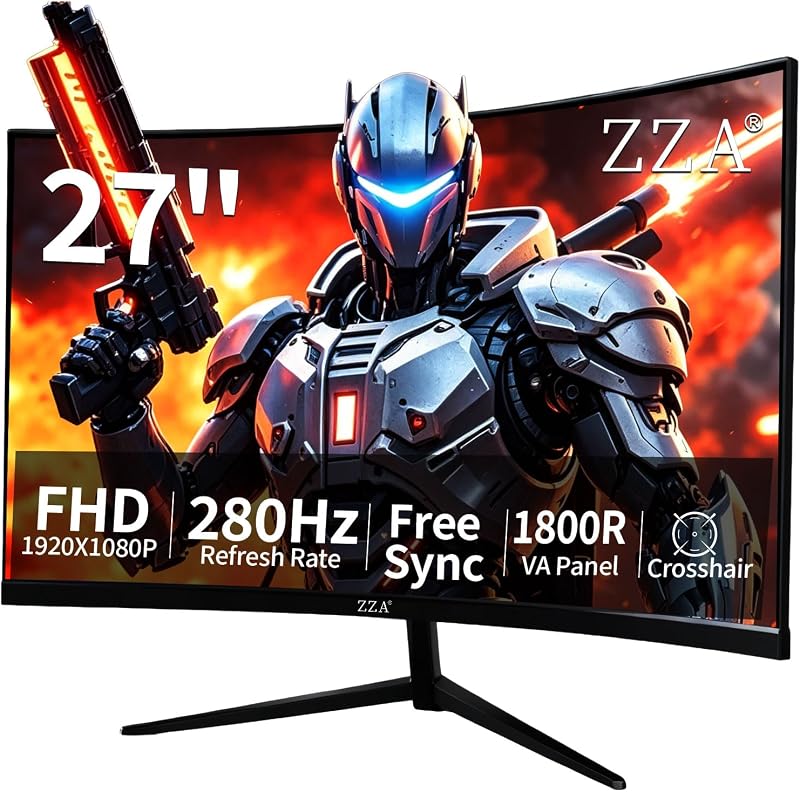
02 ZZA 27 Inch Curved Gaming Monitor
Stepping firmly into the competitive esports arena, this version of the ZZA 27 Inch Curved Gaming Monitor pushes motion fluidity to a rapid 280Hz refresh rate backed by a 1ms gray-to-gray response time. The screen utilizes an 1800R curvature that conforms closely to the natural field of vision, drawing peripheral sightlines into the action while minimizing distortion along the outer margins. The panel features a 16:10 aspect ratio and a 4000:1 contrast ratio that brings depth to shadowy game corridors while keeping day-to-day spreadsheet cells cleanly separated.
Connectivity is a standout strength for this model. It comes equipped with two HDMI 2.0 ports and two DisplayPort 1.4 inputs, forming a comprehensive media hub that allows you to permanently wire two computers alongside two dedicated gaming systems. The monitor integrates AMD FreeSync Premium technology, eliminating screen tearing and micro-stutters by syncing the monitor’s refresh cycles with incoming graphics card frames. To protect visual comfort during marathon workdays and extended tournament sessions, ZZA integrates flicker-free backlighting alongside hardware-level blue light filtering.
This model is built specifically for users managing multi-device environments who demand top-tier motion clarity without needing to manually swap cables behind their desk. When mounted via its 100x100mm zza curved gaming monitor vesa mount pattern, it clears substantial desk space, allowing you to position audio interfaces or mechanical keyboards directly below the screen. Shoppers who do not require four separate digital video inputs can save desk complexity by considering ZZA’s three-port alternative.
- High-velocity 280Hz refresh rate combined with a rapid 1ms gray-to-gray response speed
- Expansive digital connectivity featuring two HDMI 2.0 and two DisplayPort 1.4 ports
- Immersive 1800R curvature designed to reduce eye tracking fatigue across wide angles
- AMD FreeSync Premium support paired with flicker-free eye care technology
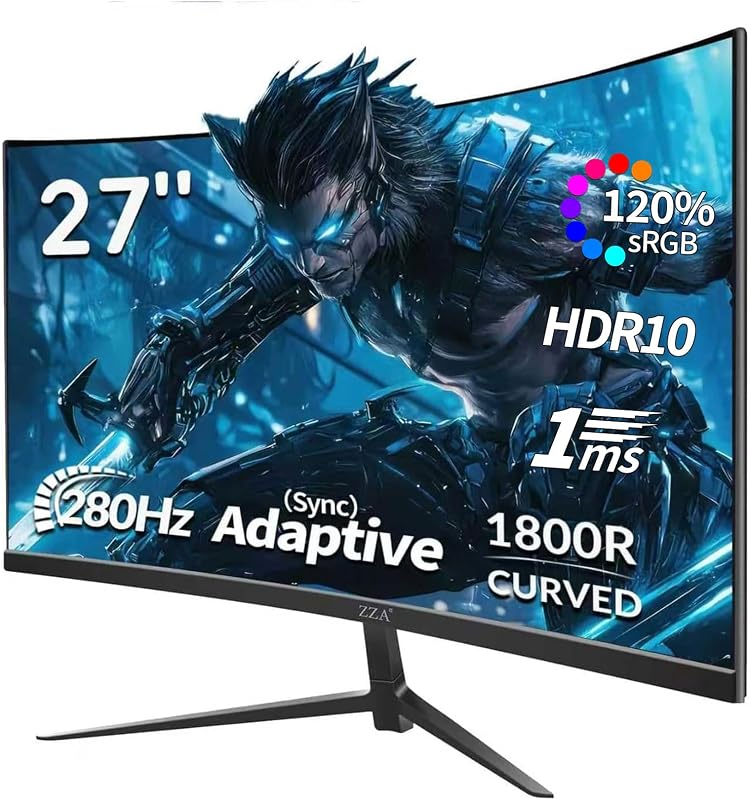
03 ZZA 27 Inch Gaming Monitor 280Hz
The ZZA 27 Inch Gaming Monitor 280Hz balances raw speed with enriched color fidelity, making it a compelling centerpiece for modern entertainment workstations. Built around an 1800R curved VA panel, it achieves an expanded 120% sRGB color gamut coverage alongside a 4000:1 contrast ratio and 250 candelas per square meter of brightness. Gamers who track quick-moving targets in titles that demand rapid reflexes, much like the action seen on an asus – tuf 23.8” fhd 165hz 1ms freesync premium gaming monitor (displayport,hdmi), will appreciate this panel’s 1ms motion picture response time and fluid frame pacing.
Physical and signal versatility define this model’s practical utility. It houses one DisplayPort connection that handles the full 280Hz frequency, while two HDMI ports accommodate 240Hz and 144Hz signals from laptops and secondary PCs. The monitor also explicitly supports console gaming, accepting full 1080p output at 120Hz from PlayStation 5 and Xbox Series systems. ZZA thoughtfully packages a dedicated DisplayPort cable inside the box, allowing you to achieve maximum refresh rates immediately without purchasing extra accessories, and backs the screen with a 12-month warranty.
This zza 27 inch gaming monitor 280hz is best suited for gamers who split their leisure time between competitive PC multiplayer and modern gaming consoles. Its wide color volume brings cinematic punch to open-world adventures, while its low blue light and flicker-free tech maintain viewing comfort during long study or coding sessions. Desks requiring extreme white-point luminance in sunlit rooms may find its 250-nit brightness modest compared to higher-lumen alternatives.
- 280Hz refresh rate via DisplayPort with full 120Hz console support over HDMI
- Expanded 120% sRGB color gamut coverage for vivid multimedia reproduction
- Includes a high-bandwidth DisplayPort cable directly in the packaging
- Standard 100x100mm VESA compatibility for flexible articulating arm setups
04 ZZA 27 Inch Curved Gaming Monitor
For players and creators who curate clean, minimalist setups, this white-cased ZZA 27 Inch Curved Gaming Monitor sets a striking aesthetic tone while delivering the highest motion frequency in the company’s lineup. Running at an ultra-responsive 300Hz refresh rate, this display minimizes input lag and motion blur to absolute minimums. Its crisp Full HD 1080p resolution ensures high frame rates remain achievable even on mid-range graphics hardware, making it an efficient pick for competitive shooters where every millisecond influences reaction times.
The panel features a 3000:1 contrast ratio complemented by HDR10 signal decoding and 120% sRGB color gamut volume. The curved architecture maintains a uniform viewing distance across the entire panel width, which reduces the constant micro-refocusing your eyes must perform when reading edge-to-edge documents or sweeping mini-maps during fast gameplay. While large-format displays like a benq gaming monitor 32 inch deliver expansive viewing areas, this 27-inch model keeps the entire visual field inside a tighter, easily digestible viewing angle that prevents physical neck strain.
Weighing eight pounds, this zza 27 inch curved gaming monitor 300hz integrates easily onto desktop riser shelves or articulating mounting hardware. It is the premier choice for esports competitors who demand the absolute highest refresh rate ZZA offers, wrapped in an eye-catching white chassis that matches light-colored desk pads, custom PC enclosures, and modern minimalist furniture. Users whose work involves precise black-level contrast matching may note that its 3000:1 ratio is slightly lower than the 4000:1 found on companion models.
- Peak 300Hz refresh rate engineered for maximum motion clarity and responsiveness
- Distinctive clean white chassis and stand designed for modern desk aesthetics
- Vibrant 120% sRGB color spectrum backed by HDR10 processing
- Lightweight eight-pound build that simplifies wall or arm mounting
05 ZZA 25″ Curved Gaming Computer Monitors
Best for: Compact desks needing higher pixel density
Pros
- Crisp 24.5-inch pixel density
- Fast 240Hz refresh rate
- Bright 300 nit panel output
- Gentle 2800R ergonomic curvature
Cons
- Smaller 75x75mm VESA pattern
- HDMI port capped at 144Hz
Rounding out the lineup with a more space-conscious form factor, the ZZA 25″ Curved Gaming Computer Monitors (measured at 24.5 inches diagonally) packs high-speed gaming capabilities into a tighter frame. Because it retains full 1080p resolution on a smaller panel, it achieves a noticeably crisper pixel density than its 27-inch siblings. It employs a subtle 2800R curvature, offering gentle depth perception that feels natural during intensive typing sessions and spreadsheet navigation without warping straight horizontal gridlines.
Under the hood, this display delivers a 240Hz refresh rate over DisplayPort 1.2, while its HDMI 1.4 port supports smooth output up to 144Hz. It features an impressive 300 cd/m² brightness level—the highest among the reviewed displays—paired with a deep 4000:1 contrast ratio and 120% sRGB color accuracy. The panel’s three-sided frameless bezel design makes it an exceptional candidate for dual-monitor productivity desks, allowing two displays to sit edge-to-edge with minimal border interruption.
This compact zza 1080p gaming monitor is the ideal choice for shallow desks or dedicated dual-screen workstations where dual 27-inch screens would create excessive peripheral neck turning. Equipped with a 75x75mm VESA pattern, it easily mounts to compact desktop poles or dual-arm monitor stands. Users planning to run high refresh rates strictly through HDMI connections should note that the HDMI 1.4 interface maxes out at 144Hz, requiring the DisplayPort input to reach the full 240Hz potential.
- Fluid 240Hz gaming performance via DisplayPort with a 1ms MPRT response time
- Gentle 2800R curve ideal for closer desk viewing distances and line accuracy
- Luminous 300 cd/m² panel brightness paired with 120% sRGB color saturation
- Three-sided frameless enclosure optimized for seamless multi-monitor alignment
What Sets These Models Apart
Conducting a detailed zza gaming monitor comparison highlights how each model serves a different desktop priority. While all five monitors leverage curved VA-type panels with matte anti-glare surfaces, their input selections, mounting patterns, and maximum refresh ceilings diverge significantly.
| Model Name | Refresh Rate | Contrast Ratio | Video Connectivity | VESA Compatibility |
|---|---|---|---|---|
| ZZA 27 Inch Curved Gaming Monitor (144Hz) | 144Hz | 4000:1 | 1x HDMI, 1x VGA | VESA compatible (tilt stand) |
| ZZA 27 Inch Curved Gaming Monitor (280Hz) | 280Hz | 4000:1 | 2x HDMI 2.0, 2x DisplayPort 1.4 | 100x100mm |
| ZZA 27 Inch Gaming Monitor 280Hz (120% sRGB) | 280Hz | 4000:1 | 2x HDMI, 1x DisplayPort | 100x100mm |
| ZZA 27 Inch Curved Gaming Monitor (300Hz White) | 300Hz | 3000:1 | Multi-device HDMI / DP | VESA compatible |
| ZZA 25″ Curved Gaming Computer Monitors | 240Hz | 4000:1 | 1x HDMI 1.4, 1x DisplayPort 1.2 | 75x75mm |
Buying Tips for ZZA Gaming Monitors
When deciding which zza gaming monitor to buy, evaluate your desk depth and viewing distance before finalizing a screen size. A 27-inch 1080p display functions best when placed approximately 24 to 32 inches away from your seating position. At this distance, the individual pixels blend smoothly, delivering clear text for web browsing while providing an expansive field of view in gaming titles. If your desk depth is under 20 inches, the 24.5-inch model provides a sharper perceived image thanks to its higher pixel density, preventing visible graininess during everyday reading tasks.
Carefully match your computer’s video outputs to the monitor’s input ports to unlock its full potential. To achieve refresh rates of 240Hz, 280Hz, or 300Hz, you must connect via DisplayPort, as standard HDMI interfaces on these displays often cap throughput at 144Hz or 240Hz. If you plan to connect older office equipment, the entry 144Hz model remains the only choice offering a legacy VGA interface, making it an effective best zza monitor for home office setups that still rely on older docking hubs.
Finally, consider how you intend to mount the screen. While all ZZA displays include desktop stands, their adjustments are primarily restricted to forward and backward tilt. If your daily posture requires height adjustments, swivel, or rotation, pairing the screen with a desktop monitor arm is highly recommended. Pay close attention to the VESA plate sizing: the 27-inch models standardly accommodate 100x100mm brackets, whereas the compact 25-inch chassis utilizes a 75x75mm pattern that may require an adapter plate on certain heavy-duty mounting arms.
FAQ
Can I achieve the full refresh rate over HDMI on a ZZA gaming monitor?
On most ZZA high-refresh models, reaching maximum speeds of 240Hz, 280Hz, or 300Hz requires using the DisplayPort connection. Over HDMI, bandwidth limitations typically restrict refresh rates to 144Hz or 240Hz depending on the specific port version. For gaming consoles like the PS5 or Xbox Series X, the 280Hz models readily handle supported 1080p signals at 120Hz via HDMI.
How does an 1800R curve improve comfort in a home office?
An 1800R curvature matches the natural arc of human peripheral vision, meaning the distance from your eyes to the center of the display is virtually identical to the distance from your eyes to the outer edges. This geometric uniformity reduces the need for continuous refocusing when glancing between split-screen documents, lowering overall eye fatigue during extended workdays.
Are ZZA curved gaming monitors compatible with third-party monitor arms?
Yes, all reviewed ZZA models feature rear VESA mounting patterns. The 27-inch models use the industry-standard 100x100mm configuration, while the 25-inch screen features a 75x75mm layout. When using a monitor arm, check that your bracket supports the appropriate hole spacing and that the screws used match the depth specified in the user manual.
Does 1080p resolution look clear on a 27-inch curved gaming display?
At standard desk viewing distances of two to three feet, 1080p resolution on a 27-inch screen provides crisp readability for work documents while demanding far less graphics processing power than higher-resolution displays. This lower hardware overhead is what allows mid-range gaming systems to hit blistering frame rates of 144Hz, 280Hz, and 300Hz.
Do ZZA monitors come with built-in eye protection features?
Yes, ZZA equips its curved displays with flicker-free backlighting systems and low blue light filtering software. These features reduce visual strain caused by microscopic screen flicker and high-energy blue light emissions, providing a more comfortable viewing experience during evening gaming sessions and long office work shifts.