As Amazon Associates, we earn from qualifying purchases. This means we may receive a small commission at no extra cost to you if you click through and make a purchase.
Selecting the right storage drive comes down to how your workstation handles data on an hourly, daily, and weekly basis. If you are searching for a reliable wester digital 2tb capacity solution, understanding your physical setup and data access habits is essential before investing in new hardware. A graphic designer moving between a studio and home office requires an entirely different interface than an always-on security recorder or a desktop motherboard handling heavy application multitasking. Capacities at the two-terabyte mark hit the sweet spot for modern workstations, providing enough overhead for operating system partitions, media archives, and redundancy backups without excessive bulk.
This comprehensive western digital 2tb comparison covers exactly five distinct drives designed by Western Digital, highlighting how their physical form factors, interfaces, and throughput performance diverge. Across this lineup, you will find two external solutions—one traditional spinning mechanical drive and one ultra-fast portable solid-state drive—alongside three internal options consisting of a specialized surveillance hard drive and two high-speed NVMe solid-state modules. By examining how each unit integrates into practical home and commercial computing routines, this guide will help you determine which storage technology fits your daily productivity demands.
Which Western Digital Hard Drives Should You Buy
- Everyday Workspace Backups and Archiving: WD 2TB Elements Portable External Hard suits desktop users needing a plug-and-play storage repository for documents, system images, and multimedia files.
- Continuous Video Recording Rigs: Western Digital 2TB WD Purple Surveillance is purpose-built for multi-camera NVR environments requiring 24/7 reliability and constant write streaming.
- Budget-Conscious Internal Upgrades: Western Digital 2TB WD Green SN350 serves older desktops and everyday laptops needing an entry-level PCIe Gen3 NVMe boost for boot times and general office tasks.
- Fast On-The-Go Field Editing: Western Digital 2TB My Passport SSD fits traveling professionals who demand encrypted, drop-resistant external storage with fast file transfers.
- Demanding Creative Workstations: Western Digital 2TB WD Blue SN5000 is optimized for content creators, designers, and power users running PCIe Gen 4 workflows and large digital production pipelines.
01 WD 2TB Elements Portable External Hard

Best for: Everyday desktop backups and media archives
Pros
- Plug-and-play USB setup
- SuperSpeed 5Gbps interface
- Compact portable casing
Cons
- Mechanical drive transfer rates
- No built-in hardware encryption
The WD 2TB Elements Portable External Hard is engineered for straightforward, fuss-free data management. As a traditional mechanical external drive operating with a 5400 RPM rotational speed, it delivers dependable physical storage inside a compact and lightweight enclosure. It connects over standard SuperSpeed USB 3.2 Gen 1 (backwards-compatible with USB 2.0 interfaces), allowing you to plug directly into a desktop, laptop, or gaming console without needing a secondary power brick or dedicated wall outlet. The drive is preconfigured for simple plug-and-play operation, letting you begin dragging files immediately upon unboxing.
For home offices and study environments, this drive functions best as a quiet, dedicated repository for non-urgent tasks. If you maintain regular automated backups of personal documents, family photo collections, or cold project archives, the interface provides a practical transfer rate of 5 gigabits per second. It acts as an affordable offline safety net for users who want their primary computer storage freed up from bulky, seldom-used media folders. If your day involves constant rendering or moving massive video footage archives in minutes, you may eventually look toward solid-state alternatives, but for steady archiving, this portable solution remains an enduring workhorse.
- SuperSpeed USB 3.2 Gen 1 connectivity supporting transfer rates up to 5Gbps
- Plug-and-play expandability for instant connection to Windows PCs and laptops
- Lightweight portable enclosure designed for mobile consumers and clean desktop setups
- Universal compatibility with personal laptops, desktops, and gaming consoles
02 Western Digital 2TB WD Purple Surveillance
Best for: Demanding creative workflows and multitasking
Pros
- PCIe Gen 4 speeds to 5150 MB/s
- Western Digital nCache 4.0
- Free Acronis migration software
Cons
- Requires M.2 PCIe slot
- No included physical heatsink

Best for: Mobile creators needing rapid file transfers
Pros
- Up to 1050 MB/s speeds
- 256-bit AES hardware encryption
- 5-foot drop resistance
Cons
- Requires compatible USB-C port
- Higher cost per gigabyte
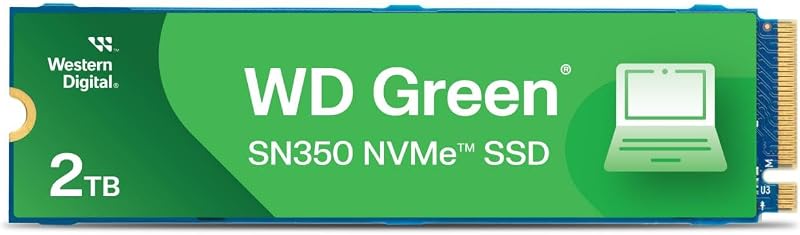
Best for: Budget-friendly laptop and desktop upgrades
Pros
- Up to 3,200 MB/s read
- Slim M.2 2280 design
- SSD Dashboard support
Cons
- PCIe Gen3 bandwidth ceiling
- Basic QLC flash endurance
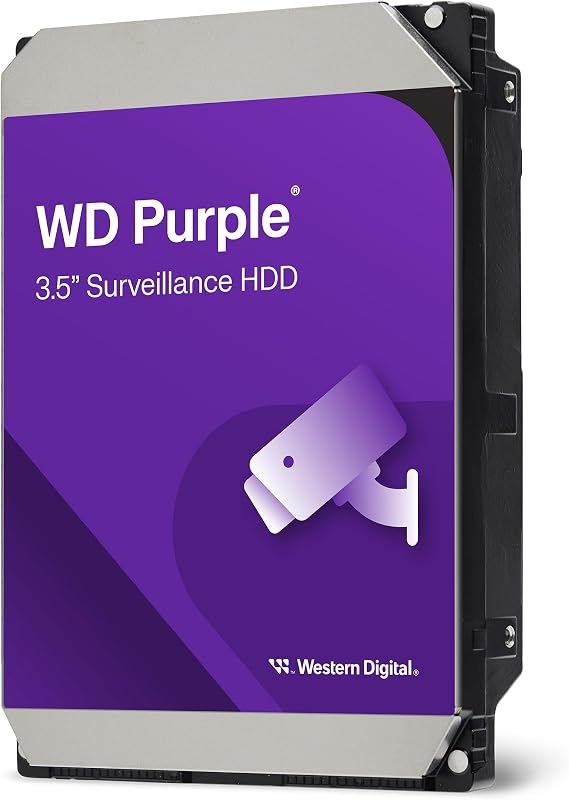
Best for: Continuous NVR and security camera setups
Pros
- AllFrame write optimization
- Supports 180 TB/year workload
- Up to eight bay support
Cons
- Slower 180 MB/s speed
- Internal desktop format only
The Western Digital 2TB WD Purple Surveillance internal drive is specifically architected to handle the uncompromising demands of modern network video recording systems. While standard desktop drives are fabricated for intermittent daily reads and writes, this 3.5-inch SATA 6 Gb/s drive is engineered for 24/7 operation inside commercial and residential security infrastructures. It features exclusive WD AllFrame technology, an internal firmware optimization created to combat frame loss, reduce video pixilation, and ensure clean video capture across continuous, write-heavy data streams.
In a home or business workstation environment, this drive is not meant to serve as your operating system boot drive or high-speed scratch disk. Instead, it slots directly into desktop towers or NVR cabinets that manage multi-camera surveillance feeds. The drive supports an annualized workload rating of up to 180 TB per year and can operate within multi-drive arrays supporting up to eight storage bays in the 2TB capacity class. Operating at 5400 RPM with a 64 MB cache and read speeds up to 180 MB/s, it manages heat fluctuations and mechanical vibration effortlessly. For users expanding their network enclosures, comparing this unit against a dedicated western digital nas hard drive setup highlights how the Purple line focuses precisely on frame retention and multi-stream security recording.
- Exclusive WD AllFrame technology optimized for write-intensive, high stream-count workloads
- Engineered to withstand heat fluctuations and vibrations inside 24/7 NVR recording enclosures
- Workload rate support up to 180 TB/year across continuous surveillance duty cycles
- SATA 6 Gb/s interface with 64 MB cache tailored for multi-bay security hardware
03 Western Digital 2TB WD Green SN350
The Western Digital 2TB WD Green SN350 provides an accessible, high-capacity internal solid-state solution for reviving aging systems or assembling entry-level desktop machines. Built on the widely compatible M.2 2280 form factor, this PCIe Gen3 NVMe SSD delivers read speeds of up to 3,200 MB/s, representing a noticeable leap over traditional SATA solid-state drives. Because it utilizes non-volatile flash memory with no moving parts, the hardware offers physical shock resistance against the drops, vibrations, and knocks common to everyday portable computing.
This internal drive integrates seamlessly into routine productivity schedules, helping users eliminate sluggish boot sequences, long software launch delays, and slow document indexing. It suits students, administrative professionals, and casual computer builders who need a generous two-terabyte pool for general productivity, web research, streaming media, and light office duties. Users can monitor overall health, temperature, and storage metrics using the downloadable Western Digital SSD Dashboard. When you weigh upgrading from an older wd 1tb ssd layout, this 2TB module delivers both double the digital storage and reliable daily performance backed by a 3-year limited warranty.
- Fast NVMe PCIe Gen3 performance delivering read speeds up to 3,200 MB/s
- Slim M.2 2280 form factor compatible with a vast array of desktops and laptops
- Shock-resistant solid-state construction with no moving mechanical parts
- Integration with downloadable Western Digital SSD Dashboard for drive health monitoring
04 Western Digital 2TB My Passport SSD
Designed for mobile creators, remote professionals, and travelers, the Western Digital 2TB My Passport SSD brings desktop-level NVMe transfer speeds into a pocket-sized external drive. Enclosed in a sleek and durable metal exterior, this portable unit achieves accelerated read speeds of up to 1050 MB/s and write speeds reaching 1000 MB/s. It utilizes a modern USB 3.2 Gen-2 interface over USB-C while remaining cross-compatible with standard USB-A ports on older host machines, ensuring flexible connectivity across diverse workstation configurations.
Physical protection and data privacy are core elements of this drive’s role in your mobile routine. The rugged casing provides shock and vibration resistance alongside drop protection up to 6.5 feet (1.98 meters), making it safe to carry in gear backpacks and travel bags. To safeguard sensitive project files, commercial contracts, or personal records on the road, the drive features built-in password security with 256-bit AES hardware encryption. Whether you are cutting video footage directly from external storage or shuttling project assets between field machines, this drive bridges portability with robust solid-state throughput.
- Blazing fast NVMe technology delivering read speeds up to 1050 MB/s and write speeds to 1000 MB/s
- Password-enabled 256-bit AES hardware encryption for enhanced file confidentiality
- Durable metal exterior offering drop resistance up to 6.5 feet plus shock and vibration protection
- Cross-compatible USB 3.2 Gen-2 USB-C architecture with included USB-A support
05 Western Digital 2TB WD Blue SN5000
The Western Digital 2TB WD Blue SN5000 is a next-generation internal solid-state drive built specifically to handle intensive creative workflows, multi-application multitasking, and modern AI-enhanced software pipelines. Leveraging the expanded bandwidth of the PCIe Gen 4.0 interface in a standard M.2 2280 format, this drive hits sustained read speeds of up to 5,150 MB/s. It integrates Western Digital nCache 4.0 technology, a caching architecture designed to maintain stable write performance when handling heavy project directories, raw photo imports, or 4K timeline rendering.
This internal drive caters to creative professionals, software engineers, and digital artists who cannot afford bottlenecks when switching between complex development suites or video editors. Migrating to the drive is streamlined through downloadable Acronis True Image for Western Digital software, allowing users to clone existing operating systems and data drives without complex reinstallation steps. The drive balances high-end throughput with extensive endurance, making it a reliable foundation for home studio workstations where productivity depends on instantaneous file accessibility and smooth project navigation.
- Next-generation PCIe Gen 4.0 architecture delivering read speeds up to 5,150 MB/s
- Proprietary Western Digital nCache 4.0 technology optimized for seamless multitasking
- Compact M.2 2280 form factor designed for modern desktop motherboards and high-performance laptops
- Complimentary download of Acronis True Image software for painless data migration
What Sets These Models Apart
Understanding how these storage devices compare at a hardware level makes it simple to choose the correct model for your workspace. The table below illustrates the primary operational attributes of each Western Digital 2TB drive:
| Product Name | Hardware Category | Primary Interface | Peak Stated Speed | Ideal Setup Environment |
|---|---|---|---|---|
| WD 2TB Elements Portable External Hard | External Mechanical HDD | USB 3.2 Gen 1 (5Gbps) | Up to 1 GB/s (Port Max) | Desktop backup and cold data archiving |
| Western Digital 2TB WD Purple Surveillance | Internal 3.5-inch HDD | SATA 6 Gb/s | Up to 180 MB/s | 24/7 NVR multi-camera video security |
| Western Digital 2TB WD Green SN350 | Internal M.2 NVMe SSD | PCIe Gen 3.0 | Up to 3,200 MB/s | Everyday PC upgrades and office multitasking |
| Western Digital 2TB My Passport SSD | External Portable SSD | USB 3.2 Gen-2 Type-C | Up to 1050 MB/s | Mobile fieldwork and encrypted travel storage |
| Western Digital 2TB WD Blue SN5000 | Internal M.2 NVMe SSD | PCIe Gen 4.0 | Up to 5,150 MB/s | Content creation, media rendering, and AI tasks |
Buying Tips for Western Digital Hard Drives
When selecting a 2TB drive from the Western Digital family, first determine whether your setup calls for internal integration or external mobility. Internal M.2 NVMe drives like the WD Green SN350 and WD Blue SN5000 must match your computer’s motherboard architecture. A PCIe Gen 4 slot will extract the maximum speed from the Blue SN5000, whereas an older laptop or desktop with a Gen 3 slot will cap throughput at roughly Gen 3 limits. Ensure your device includes an open M.2 2280 slot before purchasing an internal solid-state unit.
For external units, consider your working environment and risk factors. The WD Elements Portable provides a practical, high-capacity repository for users whose drives sit safely on a stationary office desk. However, because mechanical hard drives contain moving platters and read heads, physical impacts or drops while spinning can risk drive health. If you edit files directly in coffee shops, travel frequently, or transport confidential business data, an external solid-state drive like the My Passport SSD justifies itself through shock-resistant hardware encryption and far quicker transfer capability.
Finally, avoid using specialized drives outside their intended engineering roles. The WD Purple Surveillance drive is tuned specifically for continuous write cycles, multi-stream surveillance cameras, and high thermal tolerances inside recording chassis. Installing a surveillance drive as a daily operating system boot drive or high-speed gaming disk will result in sluggish responsiveness compared to solid-state alternatives. Aligning drive characteristics with your daily operational habits guarantees both optimal longevity and uninterrupted workstation performance.
FAQ
Can I use the WD Elements Portable drive on both Mac and Windows computers?
Yes. The WD Elements Portable drive is plug-and-play ready for Windows out of the box and connects to Mac systems through USB. Depending on your workflow, you can reformat the drive to exFAT to permit seamless file sharing and reading across both operating systems without third-party utilities.
What makes a surveillance hard drive different from a standard desktop hard drive?
Surveillance drives like the WD Purple are specifically engineered to operate 24 hours a day, 7 days a week under constant write loads. They feature specialized firmware like WD AllFrame technology to minimize dropped video frames, reduce vibration wear in multi-bay chassis, and handle thermal variations typical of always-on security environments.
Is an external solid-state drive faster than an external mechanical hard drive?
Yes, significantly. The My Passport SSD utilizes NVMe technology over USB 3.2 Gen-2 to achieve read speeds up to 1050 MB/s. By comparison, mechanical drives like the WD Elements rely on magnetic platters spinning at 5400 RPM, delivering substantially lower data transfer rates suited primarily for background backups and static storage.
Do I need an active heatsink to install an internal M.2 NVMe SSD?
While basic Gen3 drives like the WD Green SN350 operate comfortably under standard office workloads without secondary cooling, high-speed Gen 4 drives like the WD Blue SN5000 benefit from the integrated heatsinks or thermal pads provided by modern desktop motherboards during sustained write-intensive creative operations.
Can I clone my existing computer drive directly to a new Western Digital SSD?
Yes. Drives such as the WD Blue SN5000 provide access to downloadable Acronis True Image for Western Digital software. This tool enables users to create exact clones of operating system partitions, user profiles, and saved files, facilitating a smooth transition without requiring a fresh OS install.
Matching your workflow to the right drive architecture ensures consistent performance and protects critical project files over time. If your storage requirements expand beyond a single workstation into networked arrays, consulting a comprehensive NAS Drive Guide will help you select disks built for continuous multi-user access. Taking time to balance transfer speeds, duty cycles, and redundancy now ensures your setup remains dependable as your digital library grows.